
Free Podcast Recording Software That's Actually Usable

The most genuinely free podcast recording software is Audacity, free forever, no minute caps, no watermark, no upsell, on Windows, Mac, and Linux. If you're on a Mac, GarageBand is free and friendlier. The catch comes when you need remote guests on separate tracks: there, the "free" tools (Riverside, Descript, StreamYard) hand you a real recorder, then meter the minutes, stamp a watermark, or cap the export, and that's the paywall.
So this page does the one thing most "best free" roundups skip. For each tool I name the exact free-tier limit, recording minutes, track count, watermark, export quality, and the single paywall that gets you. That way "free" isn't a vibe; it's a number you can plan around.
I set up podcast rigs for a living, and the most common money I watch people waste isn't on a mic. It's a monthly subscription paid in month one, before they knew whether the free tier already did the job. For a solo, in-room show, it usually did.
What "free" actually means in podcast software
There are two honest kinds of free, and conflating them is how people end up paying. Free-forever desktop software (Audacity, GarageBand) is fully free because it records to your own hard drive and has no cloud bill to recoup. Freemium cloud recorders (Riverside, Descript, StreamYard) are free at the entry tier as a working demo, and they make money by metering the thing you'll eventually need, separate guest tracks, more minutes, a clean export.
Neither is a trap. But they solve different problems. Desktop software is unbeatable for a host (or two) in the same room. Cloud recorders exist for one reason desktop software can't match: recording a remote guest in studio quality, each voice on its own track. If you never have a remote guest, you may never need to leave the free-forever camp at all.
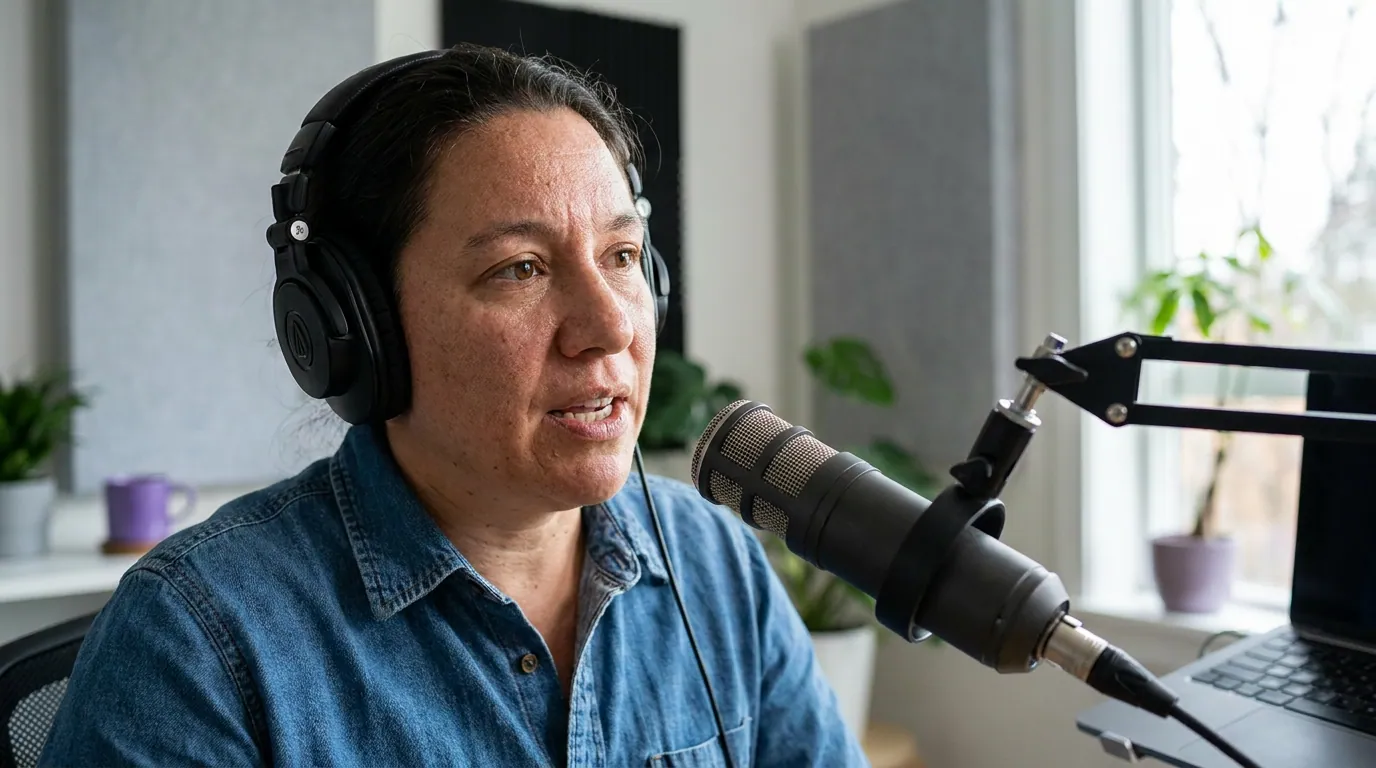
The free podcast recording tools, ranked
Here's the short list, with the free-tier limits checked in June 2026 against each vendor's own pricing page. Cloud-tool plans and prices move often, confirm before you commit a card.
| Tool | The free tier's hard limit | The paywall that gets you |
|---|---|---|
| Audacity | None (free-forever, local) | No remote recording or video, none |
| GarageBand | Mac/iOS only; ~1,000 min/project | No remote guests; Apple-only |
| Riverside | 2 hrs separate-track recording (once-off), 720p | Watermark + quality cap |
| Descript | 1 hr transcription/month, 2 hrs recording, 720p video | Transcription ceiling + video watermark |
| StreamYard | 2 hrs local recording/month, 720p | Watermark on every stream |
| Zencastr | Free tier: 2 guests, separate tracks, MP3 only | No lossless WAV; small storage cap |
1. Audacity, the honest free answer (Windows, Mac, Linux)
Audacity is the tool I name when someone asks what to record on without spending anything. It has held that spot for two decades, and the reason is simple: the free-tier limit is that there isn't one. It's open-source and records to your own drive, so there is no minute cap, no track cap, no watermark, and no export restriction, you can record multitrack up to 192kHz/32-bit if your hardware allows, for as long as you have disk space (Audacity). No paid tier nudges you anywhere, because there is no paid tier.
It's also a real editor, not a stripped trial: EQ, noise reduction, compression, and a deep plugin ecosystem. After the 2021 telemetry concerns under new ownership were walked back, the version on the official site is clean and remains one of the most widely used audio editors anywhere.
The cons, honestly. The interface looks like it was built in 2008, and the learning curve is steeper than the browser tools, you'll spend a session learning it. More important: it does no remote recording and no video. If your guest is on the other side of the country, Audacity records only your half. That isn't a paywall; it's a genuine missing feature, and it's the one reason to look elsewhere.
2. GarageBand, the friendliest free option, if you have a Mac (~$0)
If you're on a Mac or iPhone, GarageBand is free, already installed, and far gentler than Audacity for a first-timer. The recording "limit" is a quirk of its music-app roots: it counts in measures, not minutes, maxing at 9,999 measures, set to the slowest tempo that works out to roughly 1,000 minutes per project, over 16 hours, which no episode will ever touch (Buzzsprout's GarageBand tutorial). No watermark, full-quality export.
Multitrack recording is supported, so two in-room hosts can each land on their own track, but here's the asterisk most roundups bury: GarageBand needs a multi-input audio interface to record multiple mics as separate tracks, or you set up a macOS aggregate device as a workaround. With one USB mic, you get one track.
The cons. It's Apple-only, no Windows, no Android, and it has no remote-guest recording, so a distant co-host needs a different tool. Because it's built for music, you'll switch off the metronome and time signatures to record speech cleanly. For Mac solo and in-room shows, though, it's the lowest-friction free pick there is. Windows users, see our Windows-specific recording software ranking; Mac users, the best podcast software for Mac.
3. Riverside, the best free remote recorder, with three catches (free tier)
When you need a remote guest in studio quality, each voice recorded locally on its own track, Riverside's free tier is the most capable starting point, and it's the clearest illustration of how freemium recorders meter you. The free plan gives 2 hours of separate-track (multi-track) recording as a one-time allotment plus unlimited single-track recording, capped at 720p video and 44.1kHz audio, and every export carries a Riverside watermark (Riverside pricing).
That's a real, usable demo: you can record a remote interview with isolated tracks and even use Magic Clips on the free tier. The three catches are the three numbers above.
The paywall that gets you: the watermark and the quality cap, together. You can record a beautiful remote episode for free, but you cannot ship it watermark-free or above 720p without paying. The first tier that removes both is Pro at $24/month billed annually ($29 monthly), which also lifts you to 4K and 15 hours of multi-track recording a month (Riverside pricing). For a head-to-head with the other remote recorders, see Riverside vs Zencastr vs SquadCast compared.
4. Descript, free for audio, metered for video (free tier)
Descript records and edits, but its real trick is editing audio by editing a transcript, delete a word, delete the sound. That makes its free tier unusually good for audio-only podcasters and unusually limiting for video ones. The free plan includes 60 transcription minutes (1 hour) per month, 2 hours of recording, and watermarked video exports capped at 720p (Descript pricing).
Here's the detail that flips the verdict for podcasters: the watermark and 720p cap apply to video only. Audio exports are clean and full-quality. So if you publish an audio show, the two headline restrictions never touch your final file, your real ceiling is the 1 hour of transcription a month.
The paywall that gets you: the transcription ceiling. One 60-minute episode eats your entire monthly transcription budget, and the editing-by-transcript workflow is the whole point of Descript. Heavy or weekly producers hit the wall fast; the Hobbyist tier ($16/month billed annually, $24/month monthly) raises transcription to 600 minutes, exactly tenfold, and drops the video watermark. Treat Descript free as a strong extended trial, not a forever home. If editing is your real bottleneck, our guide to podcast editing software for beginners covers the editors built for that job.
5. StreamYard, free if you live-stream, watermarked if you don't pay (free tier)
StreamYard is a browser-based live-streaming studio that doubles as a recorder, which makes it a fit for shows that broadcast to YouTube or Facebook live and keep the recording. The free tier allows 2 hours of local recording per month, caps video at 720p, limits you to 6 on-screen participants and a single seat, blocks multistreaming, and puts a StreamYard logo watermark on everything (StreamYard free-plan limits). Note too that on the free plan, recordings older than 12 months are deleted from your library.
The paywall that gets you: the watermark. For any show that wants to look professional, the StreamYard logo on every frame is the daily reminder to upgrade, and the first tier that removes it, Core, runs about $44.99/month, the steepest first step on this list. StreamYard is excellent at what it does, but it's a streaming tool first; if you're not going live, a dedicated recorder serves you better for free.
6. Zencastr, still free, with one quality catch most lists miss (free tier)
I'm including Zencastr because so many older "best free" lists oversell it, and the reality has shifted. Zencastr still offers a free plan, and it's a genuinely capable remote recorder: you can record up to 2 guests on separate tracks with no watermark, which already beats most freemium recorders for a small interview show (Zencastr pricing).
The paywall that gets you: lossless audio. The free plan records each track as compressed MP3, not lossless WAV, WAV is reserved for paid plans, along with more guests (up to 11), unlimited transcription, and a larger storage allowance (Zencastr pricing). MP3 is fine for a casual show; if you want broadcast-grade masters or more than two guests, that's the upgrade. One caution: Zencastr has restructured its tiers more than once and some users report being moved off plans they were on, so confirm the current free terms on the pricing page before you build a workflow around them. For how it stacks up against the other remote recorders, see Riverside vs Zencastr vs SquadCast compared.
A note on "free" tools that quietly aren't
One more honesty flag, because it catches people. Spotify for Creators (formerly Anchor) is free for hosting, distribution, analytics, and monetization, genuinely free, no asterisk on those. But Spotify removed its in-app recording feature, and the replacement is a Riverside integration that requires a paid Riverside plan to record (Spotify for Creators). So "free hosting" is true; "free recording inside Spotify" is no longer a thing. When a platform advertises "free," check whether the free part is the part you actually need.
How I evaluated these
I judged each tool on the four things that decide whether a free tier is usable for a real podcast, not on feature-list length:
- The recording cap. Minutes per month or per project, and whether it's recurring or a one-time allotment. A 2-hour once-off cap is very different from 2 hours every month.
- Track count. Whether you can record each speaker on a separate track, which is what makes a remote interview fixable in post.
- The watermark. Whether your free export carries the vendor's logo. For video shows this alone decides "usable" or not.
- Export quality. Resolution and audio fidelity ceilings, and crucially whether they apply to audio, video, or both.
Limits were checked in June 2026 against each vendor's own pricing or help page, which I cite inline per tool. I lean on those named sources for any figure I didn't confirm in-app myself. Where a vendor has reshuffled its tiers repeatedly (Zencastr), I flag that and point you to the live page rather than trust a number that may move by next quarter. Cloud-software pricing changes often, re-verify before you enter a card.
Who should pick what
Solo or same-room, on a Mac: GarageBand. Free, pre-installed, gentle, no watermark, no real time limit. Add a multi-input interface only when you want each host on a separate track.
Solo or same-room, on Windows or Linux: Audacity. The deepest free editor, zero caps, zero watermark. Budget a session to learn the interface.
Remote guests, audio-only: Descript free or Riverside free. Descript if editing-by-transcript appeals and you stay under an hour of transcription a month; Riverside if you want isolated tracks and don't mind the 2-hour once-off cap while you evaluate.
Remote guests, video, want it watermark-free: this is where free runs out. Riverside free lets you record and test, but you'll pay (Pro, $24/mo annually) to ship without the watermark or above 720p. That's the honest math.
A clean recording is the foundation, but the gear under it matters too, if you haven't sorted your mic, our best podcast mics by budget tier lays out the $50, $150, and $400 brackets, because the room and the mic decide more than the software ever will.
Where QuickReel fits, and where it doesn't
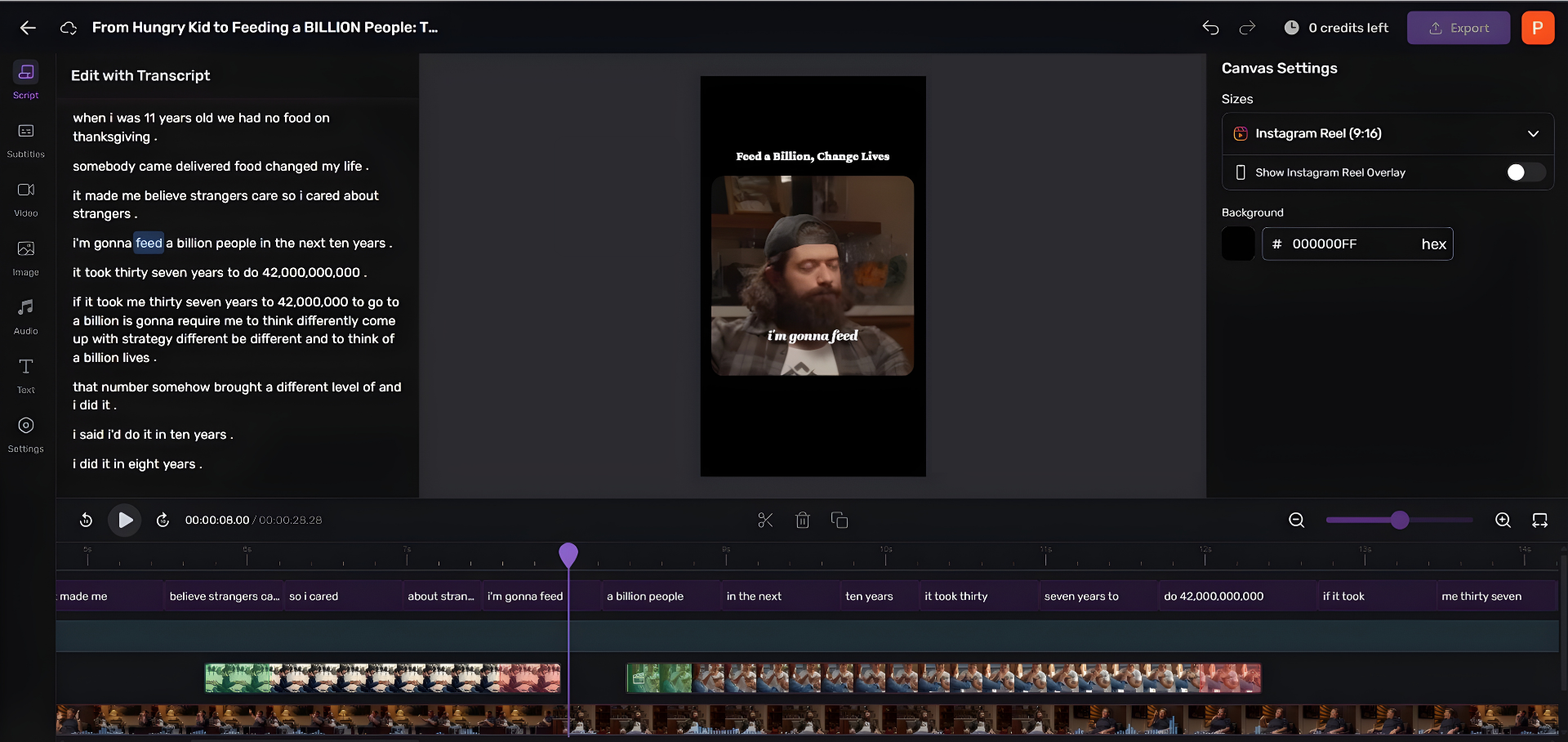
Let me be straight about this, because the honesty is the point: QuickReel is not a recording tool. It won't replace Audacity, GarageBand, or Riverside for capturing your episode. Record with whichever free tool above fits your setup. QuickReel comes after, it turns the finished episode into short, captioned clips for social, which is how most new listeners now find shows. Social-media recommendations edged ahead of friends and family as a podcast discovery source for the first time, 57% versus 54%, in Coleman Insights and Amplifi Media's State of Video Podcasting 2025 study, reported by InsideRadio. The gap is narrow and word-of-mouth still matters, but the trend points one way.
On the same "what does free actually buy" test I applied above: QuickReel is freemium with no card required, and the free plan gives you enough credits to clip roughly one episode, about five captioned clips, to see whether the output is good before you decide anything (QuickReel pricing). It follows the same free-to-paid shape as the recorders here, just for the clipping step instead of the recording one.
Frequently asked questions
What is the best completely free podcast recording software? Audacity, for most people. It's free-forever with no minute cap, no track cap, no watermark, and no export restriction, on Windows, Mac, and Linux. On a Mac, GarageBand is free and friendlier. Both record locally, so neither can record a remote guest, that's the one job that pushes you toward a freemium cloud recorder.
Can I record a podcast with remote guests for free? Yes, within limits. Riverside's free tier gives 2 hours of separate-track recording (a one-time allotment) and Zencastr's free tier records 2 guests on separate tracks (MP3, not WAV) with no watermark. Both are real for testing, but you'll hit a recording cap, an audio-quality limit, or a watermark fast on a regular show, that's the upgrade nudge.
Is GarageBand actually free, and is it good for podcasts? GarageBand is free and pre-installed on every Mac and iPhone, there is no paid version. It's a strong choice for solo or in-room shows, with no watermark and effectively no time limit. The two catches are that it's Apple-only and it can't record remote guests, and that true multitrack needs a multi-input audio interface.
Why do "free" tools put a watermark on my podcast? The watermark is the paywall. Freemium cloud recorders let you use the full tool free so you can see the output, then make money by metering what you'll need to ship professionally, most visibly, removing their logo from your export. On Riverside and StreamYard the watermark is on all free exports; on Descript it's on video only, never audio.
Does Zencastr still have a free plan? Yes. Zencastr's free plan still records up to 2 guests on separate tracks with no watermark. The catch is audio format: free recordings are compressed MP3, not lossless WAV, and WAV plus more guests are paywalled. Zencastr has reshuffled its tiers more than once, so confirm the current terms on Zencastr's pricing page before building a workflow around it.
Is Spotify for Creators free for recording? It's free for hosting, distribution, and analytics, but Spotify removed in-app recording. The replacement is a Riverside integration that needs a paid Riverside plan, so recording inside the Spotify ecosystem is no longer free. Use a separate free recorder, then upload.