
Podcast Editing Software for Total Beginners

If you have never edited audio before, start with GarageBand on a Mac or Audacity on Windows, both free, both let you cut your first episode the same day. If you want AI to do the cleanup for you, Podcastle or Descript get a beginner to a finished file fastest. The trap is buying a powerful editor you spend three weekends learning instead of publishing.
That trap is expensive in a way money does not capture. About 47% of podcasts stop at three episodes or fewer (Amplifi Media analysis), and the people who quit are rarely the ones who ran out of ideas. They are the ones who dreaded the edit. So the right beginner question is not "which editor is the most powerful." It is "which editor gets me to a published file fastest, with the fewest concepts to learn first."
This guide ranks seven tools on exactly that. I have built more than 40 podcast setups across budgets, and the pattern holds: the tool that ships episode two beats the tool with the deepest feature list every time.
What is the easiest podcast editing software for beginners?
For audio-only shows, GarageBand (Mac) or Audacity (any computer) is the easiest free editor that still does real work. For the least manual effort, Podcastle and Descript clean up audio with AI so you barely touch a waveform. For video, CapCut is the gentlest start. Pick by what you own and how much you want the computer to do.
That is the whole verdict. Below is the evidence: a time-to-first-export ranking, the single hardest concept each tool forces on a beginner, honest pros and cons, and a four-question route to the right pick.
The comparison table (verified 2026 pricing)
Prices below were checked against each vendor's own site in June 2026. SaaS pricing moves, and annual billing usually cuts the monthly figure 20–40%, so confirm before you pay. The "hardest concept" column is the single idea each tool makes a non-technical person learn before they can finish an edit, that, more than price, is what slows beginners down.
| Tool | Entry price (verified) | Hardest concept it forces |
|---|---|---|
| GarageBand | Free, Mac/iOS only (apple.com) | Tracks, regions, and no fade tool |
| Audacity | Free, all platforms (audacityteam.org) | Selecting and cutting on a raw waveform |
| Podcastle | Free Basic; Storyteller $11.99/mo (podcastle.ai) | When to trust AI cleanup vs. fix it |
| Descript | Free tier; Hobbyist $24/mo (descript.com) | The media-minute and AI-credit meter |
| Riverside | Free (2 hrs); Standard $19/mo (riverside.com) | It records and edits, two mental models |
| CapCut | Free (1080p, 15-min cap); Pro $19.99/mo (costbench) | It is a video editor; audio is secondary |
| QuickReel | Free to start; Starter $9/mo (quickreel.io) | It clips, it does not edit episodes |
The free editors (start here if you own nothing)
If you have not spent a dollar yet, do not. The two best free options are mature, capable, and enough to publish a real show.
GarageBand, easiest free editor, if you have a Mac GarageBand ships free on every Mac, iPhone, and iPad, with multitrack recording, built-in noise reduction, and a forgiving interface that opens GarageBand files straight into Logic Pro later if you outgrow it. For an audio-only solo or two-person show, it is plenty.
Pros: genuinely free, non-destructive editing (your changes are reversible), familiar Apple interface, clean upgrade path to Logic Pro ($200 one-time). Cons: Mac and iOS only, no Windows or Linux. And the one that trips beginners: there is no fade tool, so you smooth volume changes with automation curves, which takes a minute to learn. Hardest concept: thinking in tracks and regions, and faking fades with automation instead of a one-click button.
Audacity, best free editor on any computer Audacity is the free, open-source standard, now on version 3.7.8 and maintained by Muse Group, with over 115 million downloads logged on FossHub (FossHub). It runs on Windows, Mac, and Linux, handles noise reduction and EQ, and recent builds are rolling out AI noise suppression and transcription (macOS first) (audacityteam.org). For a Windows beginner with zero budget, this is the default.
Pros: free forever, every platform, deep effect library, no account required. Cons: the interface is dated and the workflow is manual, you select audio on a waveform and cut it by hand, with no transcript to guide you. It also will not record remote guests, so interview shows bolt on a separate recorder. Hardest concept: reading and editing a raw waveform, spotting the breaths, the "um," and the dead air by sight, not by text.
The AI-cleanup editors (least manual work)
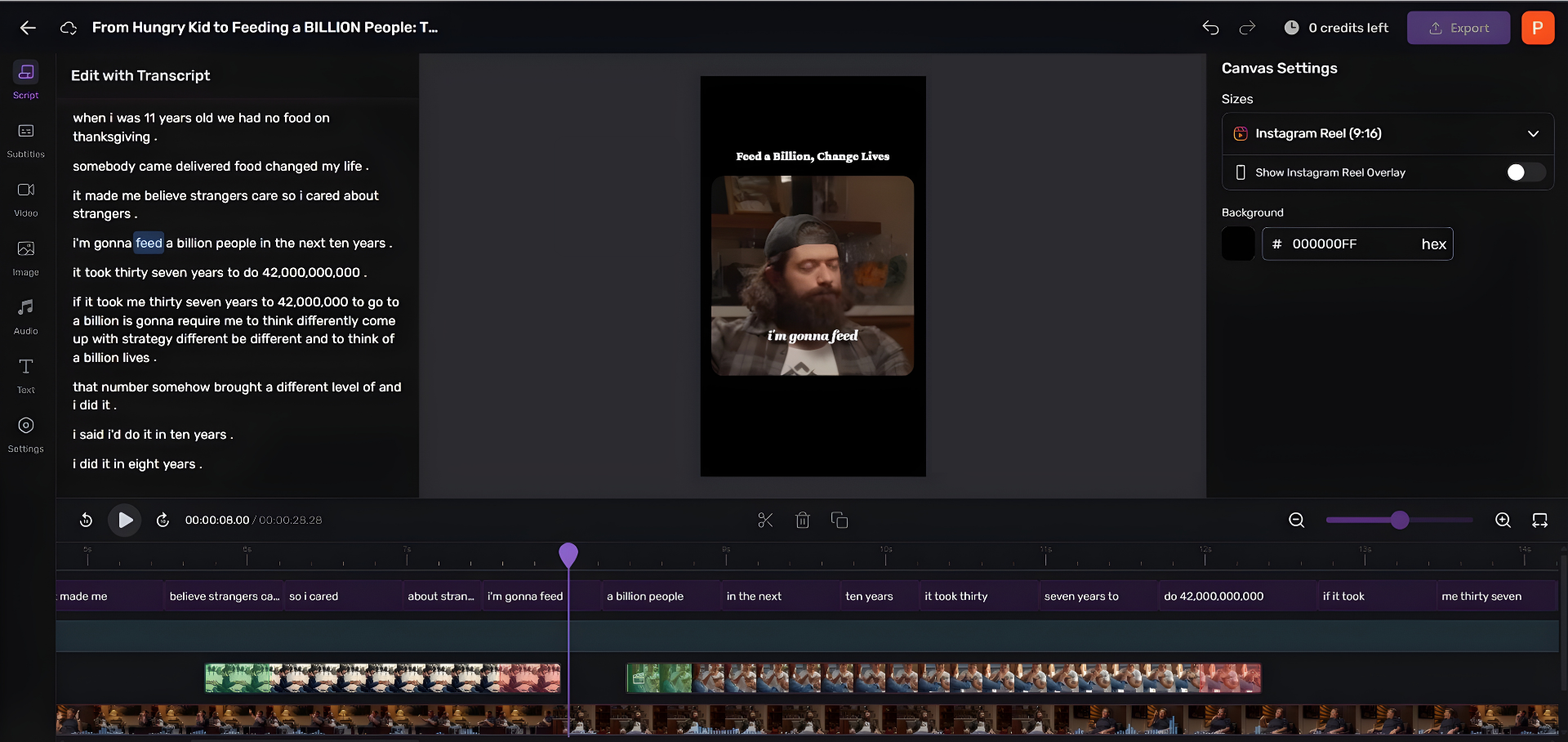
These do the dreaded part, noise, levels, filler words, automatically, then let you edit by reading a transcript instead of staring at a waveform. They are the fastest path to a finished file for a true beginner.
Podcastle, fastest to a finished episode Podcastle is built around AI cleanup. Its Magic Dust enhancement, noise reduction, and silence trimming do the polishing, and its free Basic plan includes multitrack recording plus 3 hours of video recording at 720p with a watermark (podcastle.ai). In testing, a 90-minute raw recording came out polished in roughly 15 minutes of processing, work that would take hours by hand. The paid Storyteller plan ($11.99/month) lifts those limits and adds a royalty-free music library. Confirm the current tiers on Podcastle's pricing page before you commit, since plans move.
Pros: the gentlest learning curve here, real one-click cleanup, generous free tier with royalty-free music included. Cons: the free tier watermarks exports and caps you at 720p video and 3 hours, and the AI gives you less manual control when it gets a call wrong. Hardest concept: judgment, knowing when the AI cleanup is good enough to ship and when it has over-processed your voice and you need to dial it back.
Descript, edit audio by editing text Descript transcribes your episode and lets you delete a sentence of text to delete the matching audio. Filler-word removal and Studio Sound are genuinely useful, and the free tier gives you 1 hour of transcription a month, text-based editing, and 720p exports with a watermark (descript.com). Paid plans run Hobbyist $24/month and Creator $35/month (roughly $16 and $24 on annual billing).
Pros: transcript editing is the most beginner-intuitive model in audio, if you can edit a Google Doc, you can edit your episode. Built-in clip and caption features cover light needs. Cons: the free hour of transcription burns fast, a single 45-minute interview eats most of it. And the pricing model is the real gotcha: it meters media minutes (any audio you import, not just what you transcribe) plus AI credits, so heavy users pay more than the sticker (descript.com). Hardest concept: the metering model, understanding that importing a long file costs you minutes whether or not you use AI on it.
Riverside, record and edit in one place Riverside is best known as a remote recording studio, but it includes a text-based editor, AI audio cleanup (Magic Audio), filler-word removal, and Magic Clips for social. The free plan gives you 2 hours of recording, 720p, a watermark, and Magic Clips (riverside.com); the entry-level paid Standard plan removes the watermark and adds 4K at $19/month, or $15/month on annual billing.
Pros: records and edits in one tool, so interview podcasters skip a separate recorder; the text editor is beginner-friendly; clips are built in. Cons: the free tier's 2-hour cap and watermark push you to paid quickly, and the advanced AI editing tools sit behind those paid plans. For how it stacks against other remote studios, see our Riverside vs Zencastr vs SquadCast breakdown. Hardest concept: holding two mental models at once, it is a recorder and an editor, and beginners conflate the recording session with the edit project.
The video-first editor (for video podcasts)
CapCut, the gentlest start for video If you record on camera and want to publish to YouTube and social, CapCut is the most beginner-friendly video editor. The free plan is unusually generous: the full timeline, auto-captions (10 minutes per video), and, rare for free editors, no watermark on standard edited exports, at 1080p (costbench). Pro is $19.99/month for 4K, the full AI toolkit, and vocal isolation.
Pros: powerful free tier with no export watermark, auto-captions built in, the same app most short-form creators already know. Cons: it is a video editor, so audio cleanup is secondary, and the free tier enforces a 15-minute clip limit that rules out full long-form episodes. Its strength is the clips, not the hour-long master. Hardest concept: it thinks in stacked visual layers and timelines, not audio tracks, so the audio polish a podcast needs is not where the tool points you.
What about Spotify for Creators?
Spotify for Creators (formerly Anchor) is no longer an editor. It is free and useful for hosting, publishing, and analytics, but the in-app recording and editing Anchor was known for has been removed (creators.spotify.com). Beginners still search for it as an editor, so the short answer: pair it with one of the editors above and do not expect it to cut your episode.
How we evaluated
I have built 40-plus podcast recording setups across budget and pro tiers, so I judged these on what actually decides whether a beginner publishes, not on a feature checklist:
- Time to first finished export, how long from opening the tool to a clean exported episode. This drove the ranking chart, and it is an editorial estimate, not a stopwatch benchmark.
- The hardest concept, the single idea each tool forces a non-technical person to learn first. That single concept is where most beginners stall.
Pricing was verified directly against each vendor's site in June 2026 and dated inline. Where a tool is weaker for beginners, I said so, including QuickReel, which does not edit full episodes at all.
The clip step is a separate tool (and that is good news)
Here is the part most beginner guides skip. Once your episode is edited, the next job, turning it into vertical, captioned clips for social, is a different task that your audio editor is bad at. And it matters: 53% of new US weekly listeners now prefer to watch a podcast, up from 30% in April 2022 (Backlinko). If discovery happens in vertical feeds, clipping is the second half of your stack.
The good news is that this step is faster and more beginner-friendly than the editing itself, because a clip generator finds the moments, reframes to vertical, and burns in captions automatically. You do not need to learn it.
When to choose each
- You have a Mac and want a free, real editor: GarageBand.
- You have a Windows or Linux machine and zero budget: Audacity.
- You want the least manual work, period: Podcastle, for one-click AI cleanup on a free tier.
- You think in words, not waveforms: Descript, edit the transcript, the audio follows.
- You record remote interviews and want one tool: Riverside, recording and editing together.
- You film a video podcast and post short clips: CapCut for the gentlest video start.
- You want to grow on social from your episodes: a clip generator like QuickReel, alongside whichever editor above fits, a second tool for a separate job.
Pick the one that gets you to a published episode this week. You can always switch editors at episode 20. You cannot get back the months you would lose learning a pro tool you did not need yet. For the recording side of starting, see our guides to free podcast recording software, the best podcast software for Mac, and podcast recording software for Windows. And remember that no editor fixes a bad recording, a clean signal from the right mic matters more than the software, so start with our mics by budget tier and the best mic under $100.