
Turn One Podcast Episode Into a Week of Content


A 20-minute episode contains a week of clips, but only if each clip does a different job. Run the episode through an AI clipper, then sort the suggestions into five roles: teaser, debate, how-to, quote, and behind-the-scenes. Post one of each across the week. The mistake isn't running out of clips; it's posting seven slices of the same conversation that all feel identical in the feed.
The math is in your favor. One episode is rarely one piece of content: a single longer episode can become 20–30 pieces once you count clips across every format, Shorts, Reels, TikToks, and quote posts (Podcast Studio Glasgow; single-studio breakdown, treat as directional). Even if only six to eight are genuinely strong, that's more than enough for a week. So the constraint was never supply. It's that an AI clipper, left alone, hands you a pile of cuts that are all the same shape, a guest saying something interesting, captioned, vertical. Five of those in a row trains your audience to scroll past the sixth. Variety in job is what keeps a week of clips from feeling like a rerun.
This guide gives you the matrix that creates that variety, plus the transcript signal that tells you which clip belongs in which role, so the sorting takes minutes, not guesswork.
How do you turn one episode into a week of content?
Generate your clips with an AI clipper, then assign each strong cut one of five jobs, teaser, debate, how-to, quote, or behind-the-scenes, instead of treating them as interchangeable. Post one role per slot across the week so each clip reaches a different intent. The work is sorting by job, not finding more footage; the footage is already there.
The reason this beats "post the AI's top seven" is that the suggestion engine optimizes for interesting, not for different. It will happily hand you five debate-flavored moments because conflict scores well, and your feed ends up monotone. How AI clip detection actually works explains why the model clusters around the same signals. The matrix is how you deliberately spread across them.
The repurposing matrix: five jobs, five clips
Each of the five roles answers a different reason someone watches. A teaser sells the full episode. A debate sparks a reply. A how-to earns a save. A quote gets a screenshot and a share. A behind-the-scenes builds the relationship. Pull one clip for each and you've covered five distinct viewer intents from a single recording.
Here's the matrix, with the moment in the episode each role usually comes from and where it tends to land best.
1. The teaser
This is the one clip whose job is to send people back to the full episode. It comes from a promise the host or guest makes early, "I'll tell you exactly how we lost the deal", and then cuts away before the payoff. It's the only role where withholding the answer is the point. Caption it with the open loop, end on the question, and link the episode. Don't reveal the resolution; that's what the long-form is for. Where you cut matters enormously here, the cliffhanger cut point craft applies directly.
2. The debate clip
Conflict travels. The debate clip is the moment two people disagree, or one person takes a position most of the audience won't share. Its job is to provoke a reply, the comments are the distribution. Look for a transcript line that you could imagine someone quote-tweeting with "this is wrong because…" That reaction is the engine. Keep it to the single contested claim; don't let the clip wander into the qualified, nuanced version that follows, because nuance kills the reply rate.
3. The how-to clip
This is the clip people save. It's a concrete step, a framework, a number, a checklist a guest rattles off. Its job is utility, and utility earns the follow because the viewer expects more of it. The tell in the transcript is sequencing language, "first you, then you, the trick is", or any moment a vague topic turns into a specific instruction. Pair it with on-screen text that lists the steps so it works on mute.
4. The quote clip
The quote clip is built around one line so clean it survives on its own, the kind of sentence someone screenshots. It's shorter than the others, often under 20 seconds, and its job is to be reposted. The transcript signal is a complete, punchy sentence that needs zero setup: a definition, a reframe, a confession. Set the line as large on-screen text and let the audio carry it. This is the role where the AI's "interesting moment" detector is actually closest to right, because a strong one-liner spikes every signal it reads.
5. The behind-the-scenes clip
The role most people skip, and the one that builds an actual audience rather than a view count. This is the unguarded aside, the laugh, the tangent, the host admitting they were nervous, the bit that happened before the "real" answer. Its job isn't reach; it's relationship. It tells a returning viewer that there are people behind the show. The transcript signal is informal language and self-reference: laughter markers, "okay this is off the record but," anything the AI might score low because it isn't topically dense. Pull these manually; the model usually misses them.
How to spot which clip serves which job
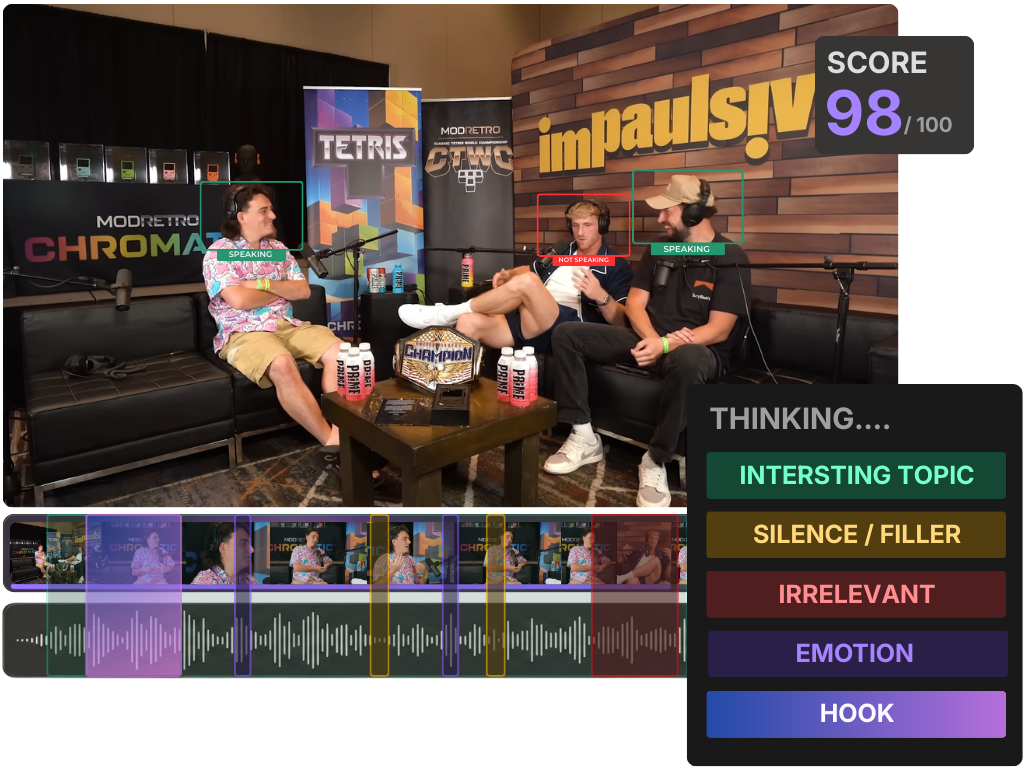
You don't watch all twenty suggestions to sort them, you read the captions. Each role leaves a fingerprint in the transcript: an open loop signals a teaser, sequencing words signal a how-to, a clean one-liner signals a quote. The text tells you the role before you hit play, that's what makes this a ten-minute job.
| If the caption shows… | It's probably a… | Watch for |
|---|---|---|
| An unkept promise or open question | Teaser | A clean cut before the payoff |
| A contested claim or strong stance | Debate | One claim, not the hedged version after it |
| Sequencing words ("first, then, the trick is") | How-to | A step that works on mute |
| A complete, quotable one-liner | Quote | A line that needs zero setup |
| Laughter, asides, self-reference | Behind-the-scenes | The model often ranks these low |
Read the suggested clips' transcripts top to bottom, tag each with a role, and stop once you have one strong candidate per role. If two clips fight for the same role, keep the better one and bank the other for next week. The goal isn't to use all twenty cuts, it's to cover all five jobs. Once you've tagged, the batch-clipping a whole episode in one pass workflow lets you cut, caption, and queue the keepers without re-importing anything.

Staging the five roles across a week
Order matters less than spread. The point is that two adjacent days never carry the same kind of clip. Here's one workable cadence, lead the week with the teaser while the episode is fresh, save the relationship-builder for the weekend when people scroll for fun, not utility.
Six posts, one recording, zero new footage. If you publish weekly, this is a sustainable engine; if you publish less often, the same five roles stretch across a longer window. Clips are worth the effort here, one studio estimates short-form drives 20–40% of new-audience acquisition for video shows and can raise reach 2–5× (Podcast Studio Glasgow; single-studio figures, treat as directional). And the feed is more crowded than ever, with paid clippers and creators flooding every platform with podcast snippets. In a feed that full, five different jobs beat seven of the same.
Common mistakes turning an episode into a week
- Posting seven of the same role. The most common failure, and the AI nudges you toward it by surfacing five debate-flavored moments. If your week is all hot takes or all how-tos, you're training one slice of your audience and boring the rest. Sort by job first.
- Letting the AI pick all seven. The model is good at "interesting" and blind to "different." It also under-ranks the behind-the-scenes role because that footage isn't topically dense. Pull at least one clip manually, usually the human moment.
- Stretching one episode too thin. Twenty cuts exist, but maybe six are genuinely strong. Don't post a weak quote clip to fill Friday; bank it or repost a strong one to a second platform. How to pick the best AI-suggested clips is the scoring step that keeps quality up while volume rises.
- Repurposing without re-cutting for the role. A teaser and a quote clip are not the same 30 seconds with different captions. The teaser withholds; the quote delivers. Cut each to fit its job, same source moment, different in and out points.
- Trusting the virality number to do the sorting. A high score means "this moment is interesting," not "this is a teaser." What an AI virality score really tells you is worth reading before you let it drive your week.