
Fixing AI Clips That Start or End Wrong

Drag the start handle to the nearest pause before the first full word, and drag the end handle to the breath right after the payoff lands. That single move fixes the two most common AI cut failures, a clip that opens on dead air or chops the first syllable, and one that runs past the punchline into the next sentence. The AI found the right region; it just placed the edges a beat off.
The fixes below take seconds once you know which failure you're looking at. What takes longer is learning to spot them at a glance and trusting your own ear over the model's timestamp. That is the actual skill, and you can build it on one episode.
Why a few frames of trim decides whether the clip works
Because the first frame is the whole audition. A muted stranger decides in under a second whether to keep watching, and a clip that opens on silence or the back half of a word reads as broken before the captions can rescue it. The region was right; the edge is what lost the view.
That muted-viewer problem is not a hunch. A widely cited figure puts around 85% of social video views with the audio off (Digiday, from publisher-reported data), treat that as directional, since it traces to 2016 publisher anecdotes and individual studies land anywhere from roughly 69% to 85%. The direction is what matters: if your clip opens on a half-second of silence, the scroller is gone before the captions catch up.
The stakes are not small. For video shows, clips can drive 20–40% of new audience and lift reach 2–5× by one studio's client data (Podcast Studio Glasgow), a directional range from a single production house, not a platform-wide audit. When clips are your main discovery channel, a sloppy cut point is not a cosmetic flaw. It is the difference between a hook and a skip.

The three ways an AI cut goes wrong
Almost every bad AI cut is one of three failures. Name the failure first; the fix follows from it.
Type 1, the start opens on dead air or a half-spoken word. The clip begins a beat too early (silence, a breath, room tone) or a beat too late (you hear ", ctly what happened next" instead of "exactly"). This is the most common failure and the fastest fix.
Type 2, the start drops you into the middle of a thought. The first words are "...and that's the reason I quit," with no setup for what "that" is. The moment is good; the entry point assumes context the viewer doesn't have.
Type 3, the end runs past the payoff or stops just short of it. The line lands at 0:22, but the clip keeps rolling into the next topic until 0:41, or it cuts at 0:19 and clips the last two words off the punchline. Endings are where narrative clips live or die.
Why the AI gets the edges wrong
The model is not careless. It is optimizing for the region, the high-signal stretch of talk, and treating the exact frame as a rounding problem. Three mechanical reasons explain almost every miss, and knowing them tells you which way to nudge.
Transcript timestamp drift causes the dead-air start. Speech-to-text assigns each word a start time, but those times land a fraction of a second ahead of when the mouth actually voices the word, especially after a pause. The model cuts on the timestamp; the audio hasn't started yet. Result: a sliver of silence or an inhale at the head of the clip. This is why nine times out of ten the fix for a Type 1 start is to push the handle inward, not out.
Pause misreads cause the mid-sentence start. The segmenter looks for a beat of silence to mark a boundary, but conversational speech is full of fake pauses, a breath mid-thought, a filler "um," a dramatic hold inside a sentence. The model mistakes one of those for the start of a new idea and opens the clip there. The thought is genuinely mid-flight; the model just trusted the wrong gap.
Padded windows cause the run-on end. To make sure it captures a full idea, the model often extends the window past where the idea actually resolves. It would rather give you too much than chop a thought. That is a reasonable default and a bad clip, length is not comprehension. If the point lands at 22 seconds, the extra 19 are watch-time you're asking a stranger to donate. For the deeper logic of how the model picks and bounds these regions, how AI clip detection actually works walks the full scoring pipeline.

The exact fix for each failure
Here is what to do, by type. Each is a handle move, not a re-export.
- Type 1, dead-air or chopped start → trim inward to the first clean consonant. Scrub to where the speech actually begins and drag the start handle to sit just before the first full word, on the breath, not the silence before it. If a syllable is already chopped, you can't recover it, back the start up to the previous complete word or sentence instead. Rule of thumb: most AI starts improve by trimming the first 1 to 1.5 seconds of lead-in.
- Type 2, mid-sentence start → move the start back to the question or the topic break. Don't try to salvage the orphaned fragment. Scrub backward to the nearest complete sentence that sets up the moment, ideally the question that prompted it. Interview clips almost always have a clean entry one or two sentences earlier. If moving back drags in too much filler, record or caption a one-line text hook over the first second instead.
- Type 3, run-on end → cut on the breath right after the payoff. Find the exact word the point lands on, then drag the end handle to the first pause after it. Leave a short beat of silence (roughly a quarter-second) so it doesn't feel guillotined, then stop. For story-driven genres, ending a hair early, on the question, not the answer, is often stronger; where to end a true crime clip for max suspense covers the cliffhanger cut in detail.
- Type 3, short end → extend to the last complete word, then stop. If the AI clipped the final words off the punchline, drag the end handle out to the end of that sentence and no further. The failure here is the opposite of a run-on, and the temptation to keep going into "context" is the trap. End on the line that lands.
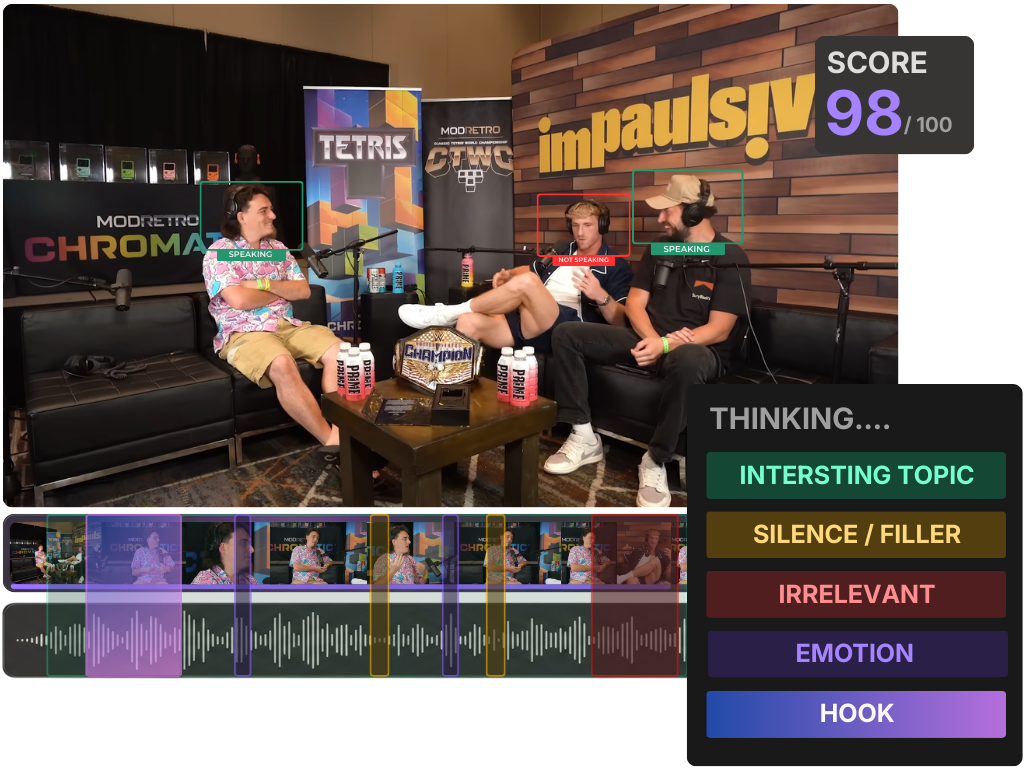
Common mistakes when fixing cut points
Pulling the start handle outward to fix dead air. This is backward and the single most common mistake. Dead air at the head means the cut is too early, not too late, drag inward, toward the speech. Pulling outward just adds more silence.
Reading the clip with the sound on. You know what was said, so a mid-sentence start sounds complete in your head. The muted viewer doesn't have your context. Mute your own playback and read only the captions before you decide the cut is fine.
Trusting the timecode instead of the waveform. The timestamp that produced the bad cut is the same data you'd use to "fix" it numerically. Don't type a time, watch the waveform and listen. The waveform shows you where silence actually ends; the number doesn't.
Leaving the run-on because the virality score is high. A padded clip can still carry a high confidence number, the score rates the region's signal strength, not your edges. Trim it anyway. What an AI virality score really tells you explains why that number is a sorting hint, not a verdict on the cut.
Fixing clips one at a time when you have fifty. If every suggested clip drifts the same direction (most do, per show), fix them in a pass rather than agonizing over each. The rubric for picking the best AI-suggested clips and the one-pass batch approach both assume you triage edges quickly and spend your judgment on which clips ship at all.
The 30-second pre-post checklist
Run this on every clip before it goes live. It is faster than reading it sounds.
- Start: Does the first word land in the first half-second, complete and clean? No silence, no chopped syllable.
- Hook: Does the opening line make sense to someone who hasn't heard the episode? If it starts with "that" or "and," move back.
- End: Does it stop on a breath right after the payoff, not 15 seconds later, not two words early?
- Muted read: With sound off, do the captions alone deliver a complete thought from first frame to last?
- Length sanity: If the idea resolved before the clip ends, you have run-on. Trim to the resolution.
Where AI cutting still beats hand-editing
Detection is genuinely good at the hard part, surfacing the right moments out of a 45-minute episode. It is the precise edges where it needs you, and that is a feature, not a flaw: fixing a handle takes seconds, while finding the moment by hand takes minutes per clip you may not even keep. Treat the AI as the scout and yourself as the editor.
QuickReel cuts on the same signal family every modern clipper uses, then drops the result onto an editable timeline with transcript-driven captions, so retrimming a drift-start or a run-on end is a drag, not a re-render. It is an accelerant, not a replacement for your ear, the honest framing for every AI clipper on the market, and the reason the 30-second checklist above still belongs to you.
FAQ
Why does my AI clip start with a second of silence? Transcript timestamp drift. Speech-to-text marks a word's start slightly ahead of when the audio actually voices it, so a cut placed on the timestamp opens on a breath. Drag the start handle inward toward the first spoken word, most starts fix with a 1 to 1.5-second inward trim.
Why does the AI clip cut off mid-sentence at the start? The segmenter mistook a mid-thought pause, a breath, an "um," a dramatic hold, for the start of a new idea and opened the clip there. Move the start back to the nearest complete sentence, ideally the question that set up the moment.
Why does my clip keep playing after the punchline? The model pads the window to be sure it captures a full thought, so it often runs past where the idea resolves. Find the word the payoff lands on and cut on the next breath. If the point ends at 22 seconds, don't ship 41.
Should I fix the start by dragging the handle out or in? For dead air at the head, drag inward, the cut is too early, not too late. Only drag outward if the AI chopped a word and you need the previous complete word back. When in doubt, scrub to where speech begins and sit just before the first full word.
Do I need to re-export to fix a bad cut point? No, not if your tool gives you an editable timeline. Adjusting the start and end handles is a trim, not a re-render, so it costs seconds. Re-exporting after every nudge is the slow loop you're trying to avoid, fix all the edges first, preview the result muted, then export the clip once.