
How to Make a Podcast Clip That Loops Without a Visible Seam


To make a clip loop without a visible seam, trim it so the last frame, the audio level, and the final spoken word match the first frame, level, and word, then end the clip on a thought that opens back into its own beginning. Done right, the replay plays as one continuous take, and every extra pass adds to watch time instead of restarting it.
A loop is not a trick you bolt on after editing. It's a decision you make at the moment you choose the clip, because only certain moments close into themselves cleanly. A rhetorical question loops. A story's payoff does not, it has to end. Below is the matching technique that makes a seam invisible, a decision table for which moments loop and which never should, and the honest caveat about when a loop quietly hurts you instead of helping.
What does it mean for a clip to loop cleanly?
A clean loop is a clip whose last moment flows into its first with no visible or audible jump, so a viewer who watches it twice can't tell where the replay began. On the platforms that auto-replay short video, Reels, TikTok, Shorts, that uninterrupted second pass is counted as more watch time, which is the signal the feed rewards.
If you want the plain-language definition first, what a loop video is covers the term itself; this guide is about building one well. The mechanic matters because of how short-form ranking works. The feed mostly cares about how much of a clip people finish and whether they watch it more than once, a measure covered in what audience retention means for a clip. A clip that hard-stops on a black frame or a held breath gives the viewer a clean exit. A clip that loops hands them straight back to the hook before they've decided to leave, and some of them ride it around again. You're not faking views. You're removing the off-ramp.
Why a loop is worth the extra two minutes
Watch-time and replays are the levers that decide whether a clip travels, and a loop pulls both. The same clip, cut to loop versus cut to stop, gives the algorithm a longer average view because a share of the audience watches past the 100% mark without choosing to. For a video podcast that lives or dies on discovery, that compounding matters: short clips are credited with driving a meaningful slice of new audience, one studio's client data attributes 20-40% of new audience and 2-5x reach lifts to clips for video shows (Podcast Studio Glasgow, a directional range from one source, not a platform-wide audit).
The loop earns its keep on muted scrolling, too. Most social video plays without sound, a commonly cited figure puts it around 85% on mute, though it traces to 2016 publisher data and later studies land between roughly 69% and 85% (Digiday, directional). On mute, the seam is a visual problem more than an audio one: a clean picture match is what keeps a silent viewer from noticing the join. Get the frame right and half your audience never registers that the clip looped at all.
One honest limit: a loop raises view duration, not necessarily intent. Looping the wrong moment can inflate a vanity metric while doing nothing for subscribers. Treat the loop as a retention tactic on clips that already earn the watch, not as a fix for a weak one, that diagnosis lives in why your podcast clips get no views.
The three-layer seam match
This is the part most "make a looping video" advice skips. They tell you to "match the first and last frame" and stop, which only handles one of the three layers a viewer actually perceives. A seam reads as invisible only when the picture, the sound, and the sentence all line up across the join. Miss any one and the loop snaps.
The sentence layer is the one that separates a clip that loops from a clip that merely repeats. A clean frame match with a dead-end sentence still feels like a restart, because the brain hears the thought finish and then start over. The trick is to end on a line that the opening answers, a rhetorical question, an unfinished setup, a claim the hook will restate. When the last sentence and the first sentence form a circle, the viewer's ear stops noticing the boundary even before the picture does.
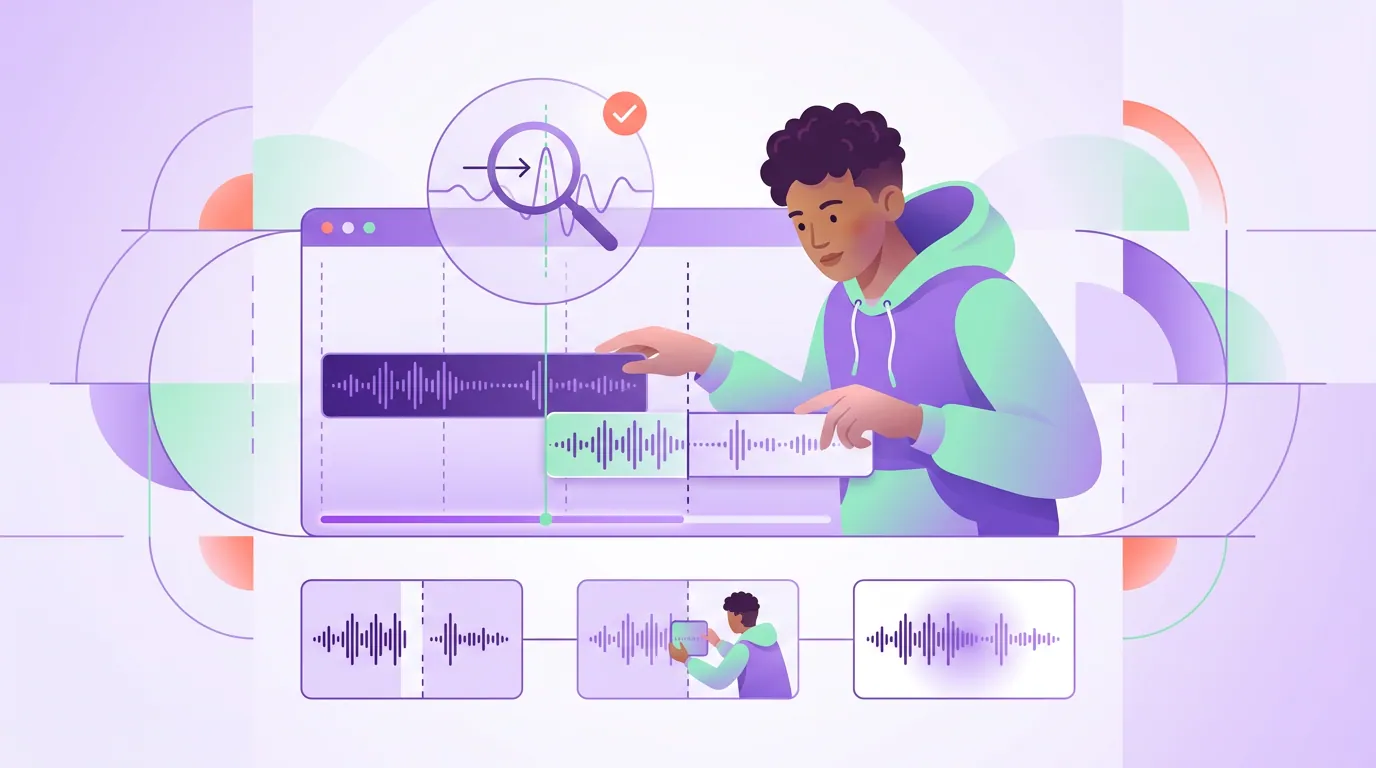
The frame-and-line matching technique, step by step
- Pick a loopable moment first. The loop is chosen at selection, not added in the edit. Scan for a moment that closes into itself: a rhetorical question, a single punchy claim, a one-line reframe. If the moment has to end to make sense, skip the loop, the decision table below tells you which is which.
- Set the hook, then find its echo at the end. Lock your opening on the strongest first line, the same principles as what to put in the first three seconds of a clip. Then trim the tail so the last spoken line sets that hook up again, like a sentence biting its own tail.
- Match the end frame to the start frame. Step to the first frame and note the speaker's head position, expression, and background. Trim the out-point to a frame that looks close to it, same shot size, similar pose. The closer the two frames, the more invisible the cut.
- Match the audio across the join. Set the loop point on a breath or a phrase gap, never mid-word. Check that the volume at the end matches the volume at the start so there's no jump in loudness, and trim off any trailing room tone that would clip on the seam.
- Watch it loop three times in a row. Play the clip on repeat and watch the join, not the content. The first pass you watch the clip; the second and third you watch the seam. If your eye snags on the cut, nudge the out-point a frame or two until it stops snagging.
- Check it on mute. Most of your audience watches silent. Play the loop with sound off and captions on, and confirm the picture seam alone holds. If the caption text resets jarringly at the loop, end on a frame where the caption is clear or empty so the text doesn't jump-cut.
Which moments loop well, and which never should
Not every clip should loop. The single most useful thing in this guide is knowing the difference before you spend the time. A loop works when the moment is circular, it ends roughly where it began in tension and meaning. A loop fails, or actively hurts, when the moment is linear, it builds to a payoff that has to land and stop.
The decision rule is one line: if the moment has to end to make sense, don't loop it. A punchline that loops kills the joke, you hear the laugh, then the setup again, and the timing collapses. A story whose payoff resolves loses its weight if it immediately restarts. A clip that ends "...and that's why you should subscribe" loops a call to action into nonsense. For those, end clean on the payoff and let the viewer feel the landing. Loops are for the open-ended moments: the provocations, the reframes, the questions that the hook already answers. For more on which lines carry that open-ended energy, the hook formulas that make people stop scrolling double as the best loop openers.
Common mistakes when building a loop
Matching the frame but not the sentence. A perfect picture match with a thought that dead-ends still feels like a restart. The sentence has to close into the opening, not just stop near it. This is the difference between a loop and a clip that happens to repeat.
Cutting the loop point mid-word. Setting the out-point inside a word or on a hard consonant produces an audible click or stutter at the seam. Always land the loop on a breath, a phrase gap, or a clean syllable boundary so the audio flows around the join.
Looping a payoff or a punchline. The most common error, and the most damaging. A resolved moment that loops undercuts its own ending. Save loops for circular moments and let linear ones land and stop, see the decision table above.
Forgetting the caption resets. On muted feeds the caption track loops too. If your last frame shows a half-finished caption line, the text snaps back to the opening word and the seam becomes obvious. End on a frame where the caption is complete or cleared.
Holding a frozen end frame to "fake" a loop. Padding the clip with a held still frame so the start and end are identical reads as a glitch, not a loop. The seam should be a live frame matched to a live frame, not a freeze.
Which tools build the loop for you
Loop matching is mostly trimming, and trimming is where AI clip tools genuinely save time, they cut the moment, caption it, and reframe it vertical, so you start from a finished clip and only adjust the two ends. The honest caveat is that no clipper decides whether a moment should loop. That call, circular versus linear, is yours, and it's the call that matters most.
QuickReel surfaces the moment and hands you a captioned, vertical clip; from there you pick a loopable one, trim the out-point to echo the in-point, and check the seam on repeat. If you want to predict where the AI sets its cut points so you can steer them toward a clean loop boundary, how AI clip detection actually works explains the mechanics. The matching is fast once the clip exists. The judgment about which moment loops at all is the part you keep.
FAQ
How do I make a video loop without a visible seam? Trim the clip so the last frame, the audio level, and the final spoken line all match the first, and end on an open-ended thought, a question or claim the opening answers. Set the loop point on a breath, not mid-word, then watch it on repeat and nudge the out-point until your eye stops noticing the join.
Do looping clips actually get more views? A loop raises watch time and replays because some viewers ride the clip around a second time without choosing to, and those are the signals short-form feeds reward. It won't save a weak clip, it amplifies a strong one. Loop a moment people already want to watch, not a flat one.
Which podcast moments should I loop? Circular ones: a rhetorical question, a single hot take, a one-line reframe, a repeated mantra, or a tension hold. Avoid looping anything that resolves, a story payoff, a punchline, a reveal, a countdown, or a verbal call to action. The rule: if the moment has to end to make sense, don't loop it.
Will a loop work if people watch with the sound off? Yes, and it often works better on mute, because a silent viewer judges the seam mostly by the picture. Match the end frame tightly to the start frame and make sure the caption text isn't cut off at the loop point, and most muted viewers won't notice the join at all.
Can AI create a looping clip automatically? AI clip tools do the cutting, captioning, and reframing that gets you a finished clip fast, but they don't decide whether a moment is loopable or fine-tune the seam. Generate the clip with the AI, then make the loop call yourself, pick a circular moment and trim the two ends to meet.