
Cross-Post Reels Without the Watermark Penalty

Export one clean master clip, no platform watermark, no rival logo, and upload it natively to each app instead of downloading from one and re-uploading to the next. TikTok stamps a watermark on every saved video; Instagram and YouTube both say they limit the reach of recycled, watermarked clips. The fix is upstream: keep a single source file with no platform branding, and post it fresh everywhere.
The penalty is not a myth and it is not a rumor someone started on Reddit. Instagram's own Reels guidance says it deprioritizes videos that are "visibly recycled" from other apps, meaning clips that carry a TikTok watermark or other logos. YouTube's Shorts policies say reused or non-original content can be limited or made ineligible for monetization. The recycle path that feels efficient, save the TikTok, drop it into Reels, is the exact thing those systems are tuned to spot.
This matters more as the lane fills up. For many shows, the clip now out-reaches the full episode it came from, so the same moments get cross-posted everywhere in search of the one that hits. When that many people are reposting the same clips, the watermark is the tell that separates a native creator from a copy-paste reposter, and the algorithms read it that way.
How do you cross-post clips without the watermark penalty?
Generate or edit your clip once, export a clean vertical master with no platform watermark and no third-party logo, then upload that same file natively into TikTok, Reels, and Shorts as separate posts. Never download a finished video from one app to re-upload to another. Vary the caption and on-screen hook per platform so each upload looks native, not recycled.
That is the entire principle: one clean source, three native uploads. The watermark penalty only triggers when a clip carries another platform's branding or reads as a straight re-upload. Cut the branding off at the source and the problem disappears. The rest of this guide is the platform-by-platform map and the export workflow that keeps every upload clean.
Which platforms actually penalize watermarks and recycled content?
All three major short-form platforms discourage watermarked re-uploads, but they do it differently. TikTok brands every saved video and softly downranks clips carrying a rival watermark. Instagram Reels explicitly deprioritizes "visibly recycled" content. YouTube Shorts limits reach and monetization for reused, non-original clips. LinkedIn is the most forgiving.
Here is the honest version, platform by platform, what each one says, and where enforcement is real versus inconsistent.
TikTok adds its own logo and your username to any video you save from the app. That watermark is fine on TikTok, but it is the single most-penalized stamp once it lands on another platform. TikTok itself also nudges down clips that carry a competitor's watermark in the For You feed. The practical rule: never use TikTok's "save video" as your export step. For the format specifics, cutting podcast clips that work on TikTok covers what TikTok rewards natively.
Instagram Reels is the loudest about this. Its creator guidance states that Reels with watermarks or logos from other apps, and content that is "visibly recycled," will be shown to fewer people. A TikTok-watermarked Reel is the textbook example. Post a clean file instead, and the same clip is treated as native, see Reels specs and format for podcast clips for the export dimensions that keep it clean.
YouTube Shorts frames it as originality and monetization rather than a "watermark penalty," but the effect is similar: reused or mass-produced content can be limited in reach and made ineligible to earn. A visible third-party watermark is a clear originality flag. Turning episodes into YouTube Shorts walks through the native upload path.
LinkedIn does not stamp a watermark and is the most lenient on reposts, but a TikTok logo still signals "not made for here," and the audience skews toward original, context-first posts. Posting podcast clips on LinkedIn gets into framing for that crowd specifically.
The recycled-content fingerprint (beyond the visible watermark)
Even with the logo gone, platforms can recognize a re-upload. Audio fingerprinting and visual hashing let an app detect that a file is byte-for-byte the same video that already ran somewhere, or even the same video with a watermark cropped off. This is the quieter half of the penalty, and it is why "just crop the watermark out" is not a real fix.
A cropped TikTok video still carries the same audio waveform and frame structure the system already saw. Cropping also chews into your safe zones and can shove your captions under the UI. The reliable move is to never produce the recycled file in the first place. Start from your own clean master and the fingerprint problem never exists, because every upload is the genuine first publish of that exact file.
This is also why caption and hook variation matters beyond looking native. A different on-screen hook and a different caption per platform change enough surface signal that each post reads as a distinct piece, not a clone. The clip can be the same moment; the wrapper should not be identical three times.

The clean-export workflow: one master, native everywhere
Here is the workflow that sidesteps every penalty above. Each step is the exact action, in order.
1. Edit the clip once, in an editor, not in a social app
Cut, caption, and frame the clip in a video tool that exports a clean file. The mistake is treating TikTok or Instagram as your editor and then trying to move the result. Anything you finish inside a posting app comes out branded or locked to that app. If you are generating clips from a full episode, picking the best AI-suggested clips is the upstream shortlist step before you polish.
2. Export a clean vertical master, 9:16, no watermark, no logo
Render one master file at 1080×1920, with your own captions burned in and no platform branding. This single file is what you upload everywhere. Confirm there is no third-party logo, no "made with [tool]" badge, and no username stamp from another app. A clean master is the whole game.
3. Upload that file natively into each app
Open TikTok, Reels, and Shorts and upload the same clean file through each app's normal upload flow. Native upload is how the platform reads the clip as original to it. Do not save-and-share between apps; do not screen-record; do not use the "post to other platforms" toggle inside a single app if it re-stamps the video.
4. Vary the caption and on-screen hook per platform
Same clip, different wrapper. Rewrite the first visible line for each app, TikTok rewards a punchy on-screen hook, Reels leans on caption text, Shorts borrows search behavior so a keyword-aware title helps. A large share of feed video is watched with the sound off, especially on autoplay, so the burned-in caption and the opening frame have to carry the clip on their own. That is also why varying the visible text per platform changes the surface signal, not just the vibe.
5. Stagger the posts by a day or two
Don't publish the identical clip to all three apps in the same minute. Staggering reduces the chance any system reads the simultaneous triple-post as a coordinated dump, lets you adjust a caption after seeing early response, and gives the same clip three separate shots at a feed instead of one.
Why the clean path is worth the extra minute
Recycling a watermarked download saves about thirty seconds and costs you the reach you made the clip for. The whole reason to clip is discovery: social video clips are now the top driver of podcast discovery, with 57% of listeners relying on social media for podcast recommendations (InsideRadio, citing new survey data). A clip that gets throttled for carrying a rival watermark does not feed that channel, it just sits there.
There is no trick here. A clean native upload is not a growth hack; it is the baseline a platform expects before it considers showing your clip widely. The watermark penalty is one of the few self-inflicted reach problems with a free, certain fix.

Common mistakes when cross-posting clips
- Using "save video" inside TikTok as your export. That file is watermarked by design. It is the most-penalized way to move a clip. Always export from an editor, never from the posting app. For what TikTok rewards once the clip is clean, see clips that work on TikTok.
- Cropping the watermark off and calling it clean. Cropping leaves the same audio fingerprint and frame structure the platform already saw, and it pushes your captions into the UI safe zones. It does not defeat detection; it just degrades the clip.
- Posting the identical file and caption to all three apps in one minute. Even a clean file reads as a coordinated dump when it lands everywhere at once with the same words. Stagger by a day or two and rewrite the hook per platform.
- Letting an AI clipper export with a free-tier badge. Some tools stamp their own logo on free exports, which is just a different third-party watermark. Confirm your export is genuinely unbranded before you upload it anywhere.
- Skipping the human review before posting. Every AI clipper still needs a 20–40% human pass, trim the hook, fix the exit, check the caption, before the clip ships. A clean export of a bad cut is still a bad clip. To understand what the suggestion engine is actually scoring before you trust it, how AI clip detection works covers the mechanics.
Tools: where the clean-export step lives
Any video editor that exports an unbranded 9:16 file solves the core problem, CapCut, Premiere, or Descript will all render a clean master you can upload natively. The friction is the round trip: cut in one tool, export, then open three apps and re-upload, re-captioning each time. Every handoff is a place a watermark or a recycled file sneaks back in.
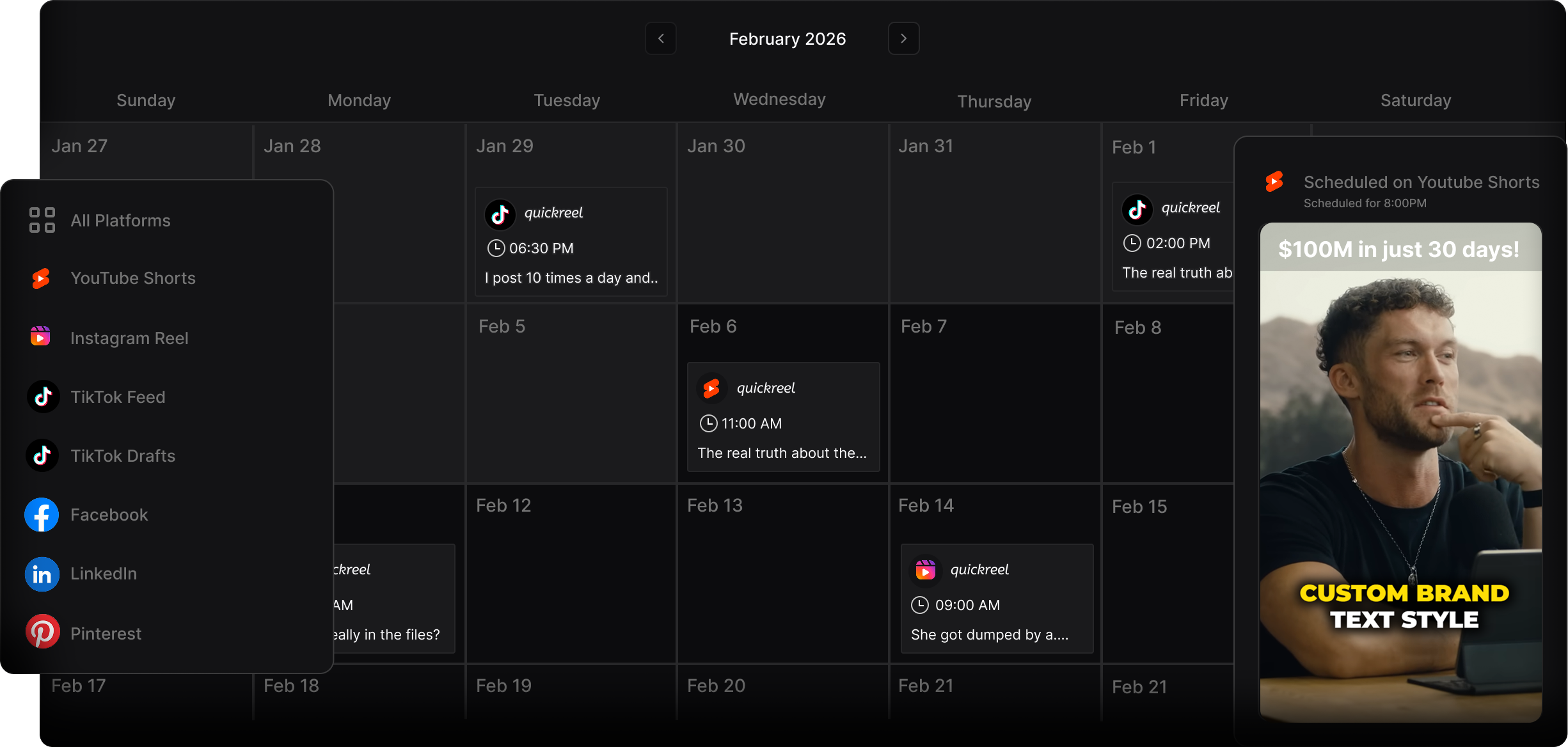
The faster path keeps generation, captions, the editable timeline, and multi-platform publishing in one pass, so a clip goes from suggestion to native upload without ever producing a watermarked intermediate file. QuickReel exports clean at 9:16 and publishes to a wide set of platforms from the same place you cut, which removes the save-and-reupload step that causes the penalty in the first place. Whichever tool you use, the rule does not change: one clean master, native upload everywhere, varied wrapper per platform.