
Clip Tool Pricing Models: Minutes, Credits, Seats, Flat

Clip tools charge on one of four units: input minutes, credits, seats, or a flat fee. Per-minute and credit plans get cheaper when you clip few episodes and punishing when you clip many; seat-based and flat plans flip that, expensive for one person, cheap once a team is producing constantly. Pick the model that matches your real monthly volume, not the lowest sticker price.
That sentence is the whole decision. The rest of this page proves it with one worked example, run at three volumes, so you can see exactly where each model wins. Every price here was checked on the vendor's live page on 27 June 2026, SaaS pricing moves, so re-confirm the current number before you buy.
What are the four clip-tool pricing models?
There are four. Per-minute bills by the length of the source video you upload. Credits are a token layer that usually maps back to minutes, but not always, read the conversion. Seats charge per editor on the account, regardless of how much each one produces. Flat drops the per-minute meter for one price and a high output ceiling, then caps file length instead, so each extra clip costs nothing until you hit the cap.
The reason this matters: two tools can show the same $29 on their homepage and cost you a 3x difference once you account for how they meter. The unit is the price. The headline number is decoration.

How each model bills, in plain terms
Per-minute (the most common)
Per-minute tools count the length of what you upload, not what you get back. Opus Clip's Pro plan is $29/month for 300 "processing minutes", five hours of source video, and Starter is $15/month for 150 minutes (Opus Clip pricing, Jun 2026). Vizard's Creator plan is $29/month for 600 upload minutes, where one credit equals one minute of video (Vizard help center).
The trap is the word "minute." It measures your input. A 60-minute episode burns 60 minutes whether you keep one clip or twelve. So your real cost depends on how long your episodes are, not how many clips you publish.
Credits (a packaging layer, not a fifth model)
Credits feel different but usually reduce to minutes. QuickReel deducts roughly one credit per minute of source video, a 20-minute upload costs about 20 credits and returns 6–8 clips (QuickReel credit calculation, AppSumo support, 2026). When a tool quotes you "250 credits," your first job is to find the conversion: credits-to-minutes, or credits-to-clips. Until you do that, the number is meaningless. Some tools spend credits per output clip or per AI feature, which changes the math entirely, so never compare two credit plans without converting both to the same underlying unit.
Seats (priced per editor)
Seat pricing ignores volume and charges for people. Opus Clip's Business tier offers team seats on custom pricing (Opus Clip plans). Every paid Submagic plan is billed per member, Business is $69/member/month, so a three-person team pays $207 (Submagic pricing page, verified 27 Jun 2026). For a solo creator, paying per seat is the worst deal on the page. For a five-person agency where everyone clips daily, it can be the only model that drops the per-clip cost low enough to matter.
Flat (one price, capped on length)
Flat plans drop per-minute metering and cap something else, usually file length, sometimes a high monthly video count. Submagic's Business plan runs $69/member/month for 100 videos, each capped at 30 minutes (Submagic pricing page, verified 27 Jun 2026). A 100-video ceiling that high behaves like flat for most podcasters, far more output than a single show produces, but it isn't infinite, and the 30-minute file cap is the real constraint. If your episodes run 90 minutes and the plan tops out at 30 per file, you split every episode into three before it qualifies.
Which model is cheapest? The worked example
No single model is cheapest, the winner flips at your volume. At low output a metered plan (per-minute or credit) costs least; around 360 source minutes a month a flat plan pulls level; by 900 minutes the flat plan is cheapest outright. Below is that crossover, run on one real workload. I'll use input minutes as the shared currency, because that's what most meters actually count.
The setup. One video podcast, 45-minute episodes. We test three volumes:
- Low: 2 episodes/month = 90 source minutes
- Medium: 8 episodes/month = 360 source minutes
- High: 20 episodes/month = 900 source minutes
I'll price each using representative live plans: a per-minute tool at $29 for 300 minutes (Opus Pro), a credit tool at ~1 credit/minute (QuickReel's $29 Pro tier, 250 credits), and a single-seat flat-style plan at $69/month for 100 videos within a 30-minute file cap (Submagic Business, one member), assuming the 45-minute episodes are split to fit that cap. Numbers are illustrative of each model, not a head-to-head verdict on the tools.
Read the crossover. At low volume, the cheapest path is a single mid per-minute or credit plan, roughly $29 covers 90 minutes with room to spare, and the $69 flat plan is dead money. At medium volume, 360 minutes pushes you past one plan's allowance, so per-minute and credit both creep toward ~$58 in add-ons or a second tier, and the flat plan is now within striking distance. At high volume, 900 minutes makes per-minute and credit billing balloon, three plans or overage packs, while the flat $69 stays flat and wins outright.
One caveat keeps this honest: the crossover point moves with the size of the metered allowance, not just the model. Vizard's Creator plan, for instance, bundles 600 minutes for the same $29, so it swallows the 360-minute medium case in a single tier where a 300-minute plan needs two, pushing its crossover past 600 minutes (Vizard help center). So compare allowances, not just labels.
The decision rule that falls out of this: divide your monthly source minutes by the included minutes of the plan you're eyeing. If the result is under 1, you're overpaying for a flat plan and a per-minute tier is cheaper. If it's well over 1 month after month, a flat or seat plan will almost always undercut metered billing.

Side-by-side: the four models at a glance
| Model | Cheapest when | Watch out for |
|---|---|---|
| Per-minute | Few or short episodes; under one plan's minute cap | Cost tracks input length, not clips; long episodes drain it fast |
| Credits | You can convert credits to minutes and it nets out low | "Credits" hides the real unit; some bill per clip or per feature |
| Seats | A team where every editor clips regularly | One solo user pays full freight for capacity they can't fill |
| Flat | High, consistent volume within the file-length cap | The cap (often ~30 min/file) may exclude long-form episodes |
Three honest caveats sit under that table. First, almost no vendor publishes overage or add-on pricing clearly, so the "medium volume" estimates above assume you stack plans rather than buy mystery top-ups. Second, a few credit tools spend credits on outputs (per clip, per export) rather than inputs, when they do, high-clip-count workflows get expensive fast, the opposite of per-minute. Third, the headline AI clip-picking these tools share is close enough across vendors that none of them runs unattended; every clip still needs a human to check the in/out points, the reframe, and the caption timing before it ships. You're choosing a pricing model and a workflow, not a smarter editor.
How to choose your model in under five minutes
You don't need a spreadsheet. You need three numbers: your average episode length, your episodes per month, and your headcount.
- Multiply length by episodes to get your monthly source minutes. That's your true workload.
- Count editors. One person rules out seat plans immediately. Two or more, keep them in.
- Find your crossover. If your minutes sit comfortably inside a single per-minute or credit tier, buy that. If you'd need to stack two or three tiers every month, price a flat or seat plan against the stack.
- Check the cap before you celebrate a flat plan. A 30-minute file cap kills "unlimited" for 60-minute interviews unless you're happy splitting episodes.
This maps cleanly to who you are. A solo host with two episodes a month should never pay flat or seat pricing, see the best clip-tool setup for solo podcasters for the lean version. A two-to-five person team producing weekly is exactly where seat math starts to win; what multi-seat clip tools to compare covers the seat-cost traps. Agencies running many client shows live at high volume, where flat or per-seat almost always beats metered billing, that's the core of choosing a podcast clip tool for an agency. In-house brand teams usually sit in the medium band and care about brand templates more than raw minutes, covered in picking a clip tool for in-house brand teams.

Where QuickReel sits, honestly
QuickReel uses the credit model: roughly one credit per source minute, with paid tiers from $9 Starter (100 credits) through $29 Pro (250) and $49 Pro+ (500, 2 seats) up to a 10-seat Ultimate (QuickReel pricing, verified 27 Jun 2026). That puts it in the same family as Opus and Vizard on the math, convert credits to minutes and compare like for like.
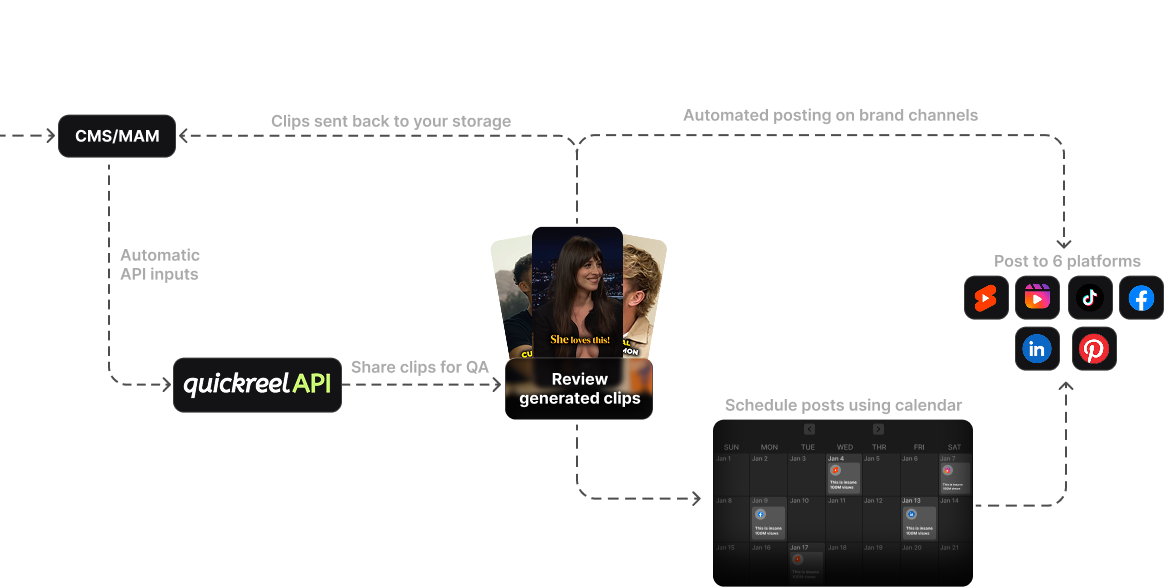
Two honest notes. QuickReel's pricing page still shows a "Sign Up, It's Free" button, but the company has said it ended the standalone free trial, and buyers report hitting a paywall at signup and having to buy credits to test the tool (QuickReel reviews and vendor reply, AppSumo, 2026), confirm the current free terms on the live page before you count on a no-card run. And like every tool here, QuickReel's credit model is not the cheapest at very high, steady volume; if you're clipping 20-plus long episodes a month with a team, price a flat or seat-based plan against it before committing. Where QuickReel earns its place is the workflow around the credits, 20+ caption languages, scheduling to many platforms, and brand templates, not a uniquely low unit price. For the broader field, see the best AI podcast clip generators, tested and the best Opus Clip alternatives.
FAQ
Are credits cheaper than per-minute pricing?
Usually they're the same thing wearing a different label. Most credit systems spend one credit per minute of source video, so a 250-credit plan is a 250-minute plan. Credits only differ meaningfully when a tool charges per output clip or per AI feature, then high-clip workflows cost more, not less. Always convert credits to minutes before comparing.
When does a flat or unlimited plan actually pay off?
When your monthly source minutes exceed roughly two of the metered plan's allowances, every month, and your episodes fit the flat plan's file-length cap. Below that, you're paying for capacity you can't use. The crossover in our example sat around 360–900 minutes a month for a $69 flat plan versus stacked $29 tiers.
Is the cheapest pricing model the cheapest tool?
No. Two tools on the same model can differ in included minutes, overage cost, and how many clips they hand back per upload. And per-clip quality, caption styles, and scheduling vary more than price. Match the model to your volume first, then compare tools within that model on workflow.
Do per-seat plans make sense for a solo creator?
Almost never. Seat pricing charges for people, not output, so one person pays for capacity meant to be shared. A solo host is better served by a per-minute or credit plan sized to their episode count. Seats start to win at two or more editors who all clip regularly.
How often does clip-tool pricing change?
Often enough that you should re-check before buying. Every price on this page was verified on 27 June 2026, and several vendors run rotating annual discounts and "from $X" framing that obscures the real monthly cost. Treat any pricing article, including this one, as a starting point and confirm on the vendor's live page.