
Clip Tool Needs: Agencies vs Freelancers

A freelancer should buy the clip tool with the lowest entry price and the fewest manual steps, features beyond that are a tax on your hours. An agency should buy for seats, client handoff, and brand control, and treat raw clip price as a rounding error against billable time. Same tools, opposite buying logic. Pick by which constraint actually bites you: your own hours, or the client relationship.
The mistake both buyers make is shopping the other one's list. Freelancers pay for team workspaces and ten platform connections they'll never fill. Agencies anchor on the $9 plan and then bleed hours doing seat-juggling and client review by hand. This piece maps where each one over-pays and under-pays, so you stop solving someone else's problem with your money.
One thing up front, because it changes how you should shop: detection quality across the major AI clippers has mostly converged. Run the same episode through Opus Clip, Klap, Vizard, and QuickReel and you get largely overlapping picks, the same standout moments, in roughly the same order. That's our read from running clips side by side, not a benchmark figure. So this is not a "which AI is smartest" question. It's a workflow-and-billing question, and the right answer genuinely differs by who you are.
What each buyer is actually optimizing for
A freelancer optimizes for hours. You are the editor, the account manager, and the invoice. Every minute the tool saves is a minute you keep or bill elsewhere, and every feature you have to operate is a deduction from that. A single watermark or an extra export step is annoying, not fatal.
An agency optimizes for the client relationship. The clip is never yours, it's the client's brand, leaving your building, going onto their feed. So the tool's job shifts: keep brands separate, let a junior draft and a senior approve, and never put your vendor's logo on a deliverable. Raw per-clip cost barely registers next to one botched handoff that costs a retainer.
That difference matters more than it sounds, because the cost of getting it wrong runs in opposite directions. A freelancer's failure mode is overpaying for unused capacity. An agency's failure mode is a tool that can't survive a handoff, and a clip that goes out wrong with a client's name on it is worth more than a year of subscription savings.

The four divergence points
Strip away the marketing and freelancers and agencies diverge on exactly four things. Everything else, caption styles, languages, reframe quality, both buyers want equally and most tools deliver comparably.
- Client handoff. Does work need to leave the building for someone else to approve and post? Freelancers: usually no, you post or hand a file. Agencies: yes, constantly, review links, draft/approve roles, deliverables a client can act on.
- Scalability. Are you clipping one or two shows, or fifteen client accounts? This drives the credit pool and how the tool meters. A freelancer on a weekly show needs a small steady allowance; an agency needs headroom and predictable per-account cost.
- White-label. Does the output carry anyone's logo but the client's? For an agency this is the whole game, your vendor's watermark on a client deliverable is a leak. For a freelancer it rarely matters past the watermark on a free tier.
- Seats and roles. One person doing everything, or a team where a junior cuts and a senior signs off? Seats are the single biggest line item that separates the two buyers, and the one freelancers most often pay for and never use.
The spend map: where each buyer wastes money
Here is the part the pricing pages won't tell you. Each buyer reliably over-pays for two things and under-invests in two others. We built this map from the four divergence points above, scored against how the major clip tools actually price (Opus Clip, Klap, Vizard, QuickReel, verified 27 Jun 2026). It's an editorial framework, not a vendor metric, use it as a checklist against your own quote.
The freelancer's classic error is buying a "team" or "agency" plan because it sounds professional, then working alone on it, paying for seats and thirty platform slots while a weekly show fills two. The agency's mirror error is anchoring on a $9 clip-price tier and absorbing the cost in hours: manually keeping client A's brand off client B's clip, exporting and re-uploading for each client, doing review over email instead of in a tool. For an agency, the cheapest plan is usually the most expensive one once you price the labor it leaks.

Side-by-side: what each buyer should compare
Prices verified live on 27 June 2026; SaaS pricing moves, so re-check each vendor's page before you buy. This table isn't a tool ranking, it's the shopping list each buyer should run a quote against.
| Compare on | Freelancer should ask | Agency should ask |
|---|---|---|
| Price model | Lowest entry, metered by minutes | Predictable per-account, headroom to scale |
| Seats & roles | One seat is plenty | Multiple seats, draft vs approve |
| Handoff | Can I post or hand a file? | Review links, client-facing deliverables |
| Brand control | No watermark on paid output | Per-client brand kits, white-label |
For real prices to test against that list: QuickReel runs $9/mo Starter (100 credits, 1 platform, single user) up to $89/mo Ultimate (1,000 credits, 10 seats, 30 platforms) (QuickReel pricing). Opus Clip is free → $15 Starter → $29 Pro, with seats and sub-teams reserved for its custom Business tier (Opus Clip pricing). Klap meters by uploads (10 videos/mo on its Basic tier, $28/mo or $14/mo billed annually), not minutes, fine for one show, a hard cap across many clients (Klap pricing). The pattern: solo plans cluster around $9–29, while the seat-and-team features both push you toward the higher tiers or a "contact us" quote.
When to choose what, the freelancer
If you run one or a few shows and you are the whole operation, buy the lowest entry plan that gives you unwatermarked output and lets you schedule without leaving the tool. Ignore seats. Ignore the count of platform connections past the two or three you actually post to. Your scarce resource is time, and the data on why is blunt: roughly 47% of podcasts stop at three episodes or fewer (Amplifi Media analysis), and the biggest predictor of survival is publishing consistency. A plan that adds steps is a plan that erodes the consistency you're being paid to maintain.
The freelancer's one real upgrade trigger is volume, not features: when a single show's credits run out mid-month, step up the credit pool, not the seat count. If you want the time-budget version of this same decision, our companion piece ranks the best clip tool setup for solo podcasters by hands-on minutes per episode.

When to choose what, the agency
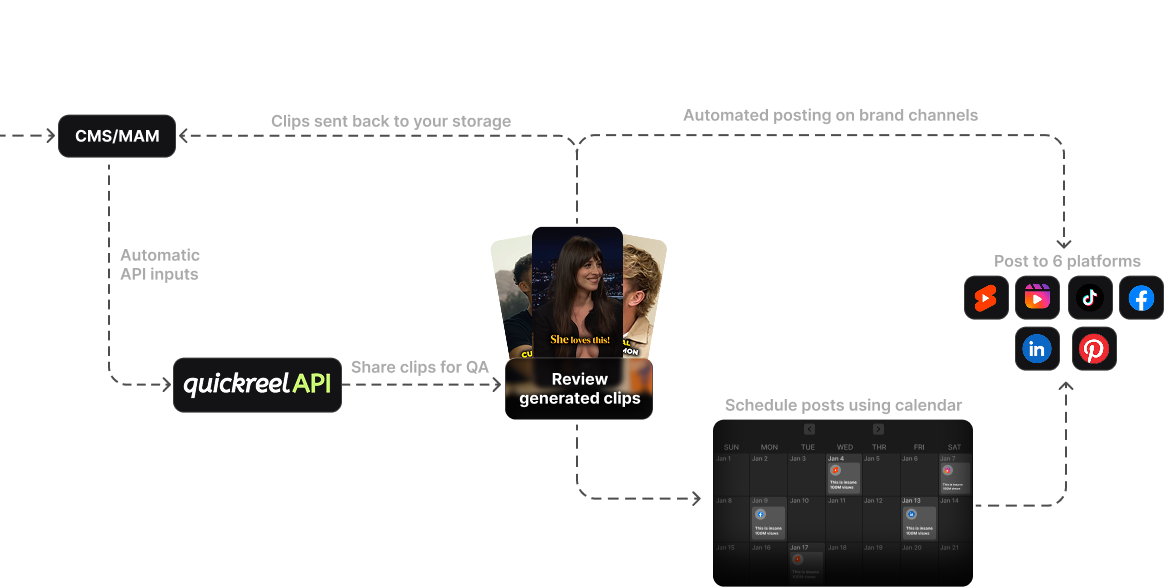
If clips leave your building with a client's name on them, buy for the handoff first and the clip price last. You need enough seats for a draft-and-approve flow, a way to keep each client's brand kit separate so nothing cross-contaminates, and output that carries no vendor watermark. Skip the consumer-grade caption gimmicks; what you're really buying is a system that survives a junior cutting, a senior approving, and a client posting, without anyone touching raw files by email.
Be honest about white-label specifically, because it's where agency shopping goes sideways. True white-label, your own logo in the client's dashboard, is rare and usually enterprise-priced. Most clip tools, QuickReel included, do not offer reseller white-label on self-serve tiers; what they offer is per-client brand control (the client's logo and template on the clip, no vendor mark on the export). For most agencies that's the part that actually matters: the deliverable looks like the client's, even if your back-office tool doesn't wear your logo. If a true reseller dashboard is a hard requirement, that's a "contact sales" conversation at almost every vendor, and you should price it as one.
For the deeper agency build, multi-client workspaces, seat math, and review workflows, see choosing a podcast clip tool for an agency and what teams should compare in multi-seat clip tools. In-house brand teams sit between the two profiles and have their own quirks, covered in picking a clip tool for an in-house brand team.
Where QuickReel fits each buyer
Honestly: QuickReel fits the freelancer cleanly and the agency partly. For a freelancer, the $9 Starter is among the lowest entry points in the category, clips and captions and scheduling live in one place, and 20+ languages come on every tier (QuickReel pricing), that collapses the steps a one-person operation leaks. For a small agency, the Pro+ and Ultimate tiers add team seats (2 and 10), brand templates, and up to 30 platform connections, which covers brand separation and a draft/approve flow.
Where it stops: QuickReel does not ship a self-serve reseller white-label dashboard, there's no plan that puts your agency logo in the client's portal. That's a contact-for-enterprise conversation, same as most rivals. So if your pitch deck promises clients a fully branded portal, verify that capability directly before you commit, here or anywhere. And the universal caveat holds for both buyers: every AI clipper still needs a real human review pass before anything posts, in our experience, somewhere around a quarter to a third of generated clips need a trim, a recrop, or a caption fix. The tool is an accelerant, not a replacement editor, budget the review pass whether you're billing it to a client or eating it yourself.
FAQ
Do freelancers need an agency or team clip plan? Almost never. A team plan adds seats and platform slots a one-person operation can't fill, so you pay for capacity you don't use. Buy the lowest entry plan with unwatermarked output and in-tool scheduling, and upgrade the credit pool, not the seat count, only when a single show runs out of credits mid-month.
What's the most important clip-tool feature for an agency? Client handoff: seats that let a junior draft and a senior approve, per-client brand separation so nothing cross-contaminates, and output that carries no vendor watermark. Raw per-clip price matters far less, because one mishandled client deliverable costs more than a year of subscription savings.
Can a clip tool be white-labelled for agency clients? True white-label, your agency's logo inside the client's dashboard, is rare and usually enterprise-priced; most self-serve clip tools, QuickReel included, don't offer it. What they do offer is per-client brand control: the client's logo and template on the clip itself, with no vendor mark on the export. For most agencies that's the part clients actually see. If you need a full reseller portal, treat it as a "contact sales" requirement and verify it directly.
Is the cheapest clip plan a bad idea for an agency? Usually, yes. The $9-tier savings get eaten by labor, manually separating client brands, exporting and re-uploading per account, running approvals over email. Price the hours, not just the subscription; for an agency the cheapest plan is often the most expensive one once you count the time it leaks.
Which tools meter by uploads instead of minutes? Klap meters by uploads (for example 10 videos a month on its Basic tier, $28/mo or $14/mo billed annually) rather than source minutes (Klap pricing). That's fine for a freelancer on one weekly show but caps fast across many client accounts. Opus Clip, Vizard, and QuickReel meter by source minutes/credits, which scales more predictably for an agency clipping varied episode lengths.
Buy against your own constraint
Buy against your own constraint, not the other buyer's. A freelancer's enemy is wasted hours, so optimize for the lowest entry price and the fewest steps, and ignore seats. An agency's enemy is a broken handoff, so optimize for seats, brand separation, and a clean deliverable, and treat clip price as a rounding error. Clips are a real growth engine, they can lift a show's reach 2–5× (Podcast Studio Glasgow), but only if the tool you buy fits the way you actually work. For the full tested field either buyer can shop from, start with the best AI podcast clip generators and the best Opus Clip alternatives.