
Best Mic Setup for a Two-Host Podcast in One Room

For two hosts sharing one room, buy two matched dynamic cardioid microphones, a pair of RODE PodMics (~$99 each) or Samson Q2Us (~$100 each), plus one interface or recorder with two mic inputs. Dynamics reject the other person's voice far better than condensers, which is the whole problem when two open mics sit a few feet apart.
The microphone choice matters less than three things people skip: dynamic (not condenser) capsules, the right spacing and angle, and recording each mic to its own track. Get those right with a $200 pair of mics and you will beat a $1,000 pair set up badly. Below are the picks that work, the placement that kills bleed, and three complete two-mic kits at prices verified in June 2026.
What is the best microphone for a two-person podcast in the same room?
The best microphone for two people in one room is a dynamic cardioid mic, used as a matched pair, the RODE PodMic and Samson Q2U are the two most reliable budget choices. Dynamic capsules are far less sensitive to off-axis sound, so each mic mostly hears its own host and ignores the other voice. Condensers do the opposite.
That sensitivity gap is the single most important spec for your situation. A condenser sounds gorgeous in a treated vocal booth with one person. Put two condensers on a desk three feet apart and each one hears both voices nearly equally, plus the air conditioner, the laptop fan, and the echo off your wall. The result: two muddy, overlapping tracks no editor, human or AI, can cleanly separate.
The Podcast Host's 2024 gear survey of 500+ podcasters found the Q2U was the second most popular mic at 8.1% (The Podcast Host), and it stays popular precisely because it is a forgiving dynamic that holds up in untreated rooms. That is the category you want. The specific model is a detail.
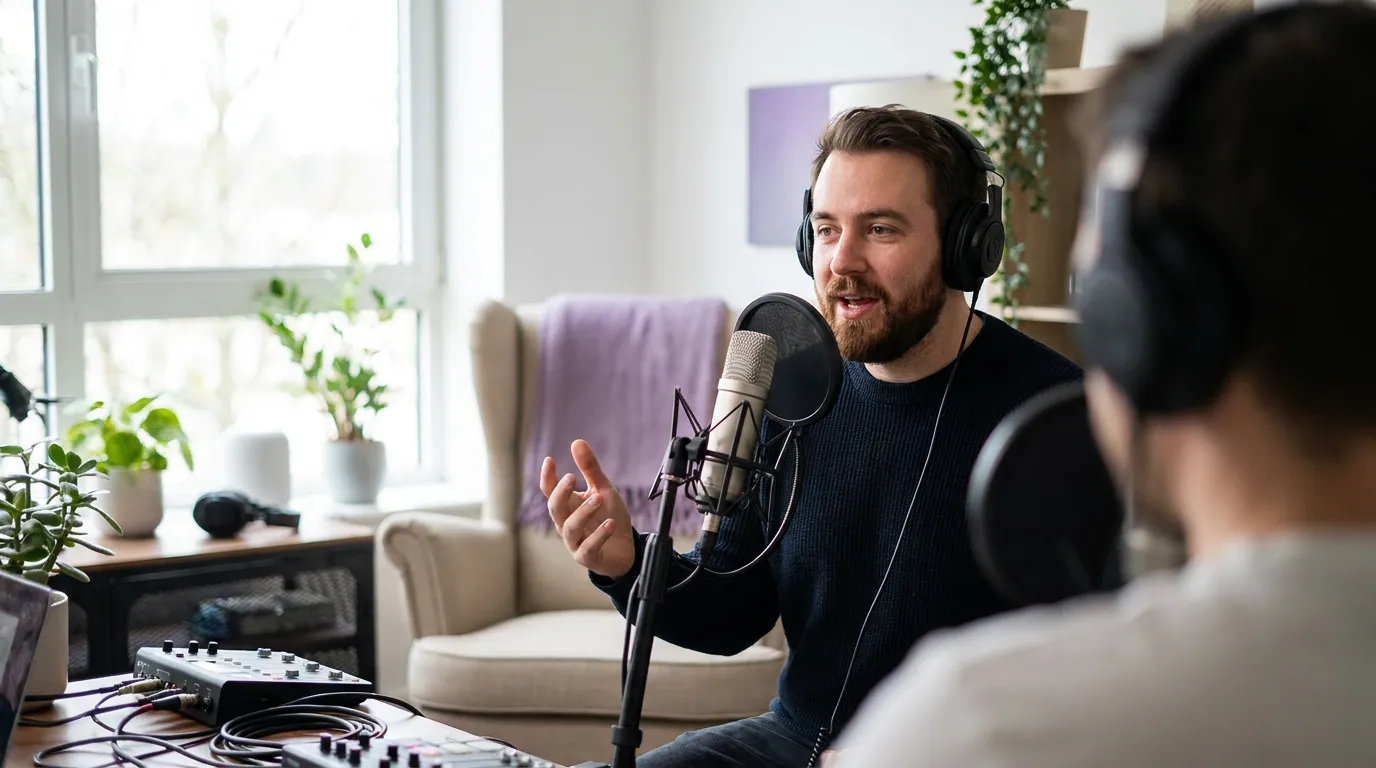
The two-mic picks, ranked for one room
Each of these is a cardioid dynamic. I have grouped them by what you actually plug into, because the connector decides your total bill more than the mic does.
1. RODE PodMic (XLR), the default pick
The PodMic is a pure XLR dynamic with an internal pop filter and shockmount, tuned specifically for speech, in a heavy all-metal body (RODE). At roughly $99, two of them give you a matched, identical-sounding pair, and matching matters, because identical mics make balancing two voices in editing far simpler.
Best for: hosts who are committed to the show and willing to buy a small interface. The catch: it has no USB output, so you cannot plug it straight into a laptop. You need an interface or recorder (see the kits below). There is a separate PodMic USB if you want plug-and-play, which I cover in the USB vs XLR mic guide.
2. Samson Q2U, the do-everything starter pair
The Q2U is a dynamic with both USB and XLR outputs and a headphone jack for zero-latency monitoring, sold as a pack with a tripod stand, clip, windscreen, and both cables (The Podcast Host). New, it lists at $99.99 for the podcasting pack at Sweetwater and Amazon as of June 2026, and drops to roughly $80 when Sweetwater runs its periodic $20-off promotion (Sweetwater).
Best for: a first show where you are not sure you will stick with it. Two Q2Us can run over USB into one computer today and into an XLR interface later, you do not throw the mics away when you upgrade. The catch: running two USB mics into one machine on Windows can be finicky; you may need an aggregate device or simply move to an interface. This dual-connector flexibility is exactly the trait I unpack in the hybrid USB/XLR mics roundup.
3. Shure MV7+, when budget is not the constraint
The MV7+ is a hybrid USB-C/XLR dynamic that takes its sonic cues from the studio-standard SM7B, with onboard DSP, a digital pop filter, and a real-time denoiser (Shure). At about $279 each, a pair is a real investment, call it $560 in mics alone.
Best for: a business or branded show where the hosts are on camera and the audio is the product. The catch: for two people in one room, the MV7+ is not three times better than a PodMic. The placement does most of the work. Spend the difference on a treated room or a second boom arm before you spend it here. The wider price ladder lives in our best podcast mics by budget tier guide.
How to set up two mics so they don't pick up each other
Position each dynamic mic 2–3 inches from its host, seat the hosts facing each other as far apart as the room allows, and rotate each mic so its back points at the other person. Record each mic to its own track, and give both hosts closed-back headphones. That combination does almost all the bleed reduction before you open an editor.
Here is why each part matters:
- Get close, 2 to 3 inches. A dynamic mic needs you right on it. The closer your mouth, the louder your voice is relative to everything else, so you can turn the gain down and the room and the other host drop away. Condenser distance (6+ inches) does not apply here (Podcast Engineering School).
- Maximize the gap between hosts. More distance between the two people means less of each voice reaches the wrong mic. Pull the chairs apart; do not crowd two mics in the center of a small table.
- Point the rear nulls at each other. A cardioid pattern has a dead zone directly behind the capsule. With two mics, hosts face each other but the mics face directly away from each other (roughly 180 degrees apart), so each mic's deadest spot is aimed at the other talker (Podcast Engineering School).
- Record separate tracks. One track per mic gives you independent control in editing, and lets you fix one person's level or noise without touching the other. A recorder like the Zoom PodTrak P4next does this natively; a basic two-input interface needs a DAW to split the tracks.
- Closed-back headphones, never speakers. Monitoring through speakers feeds audio straight back into both open mics. Two pairs of closed-back headphones eliminate that loop entirely.
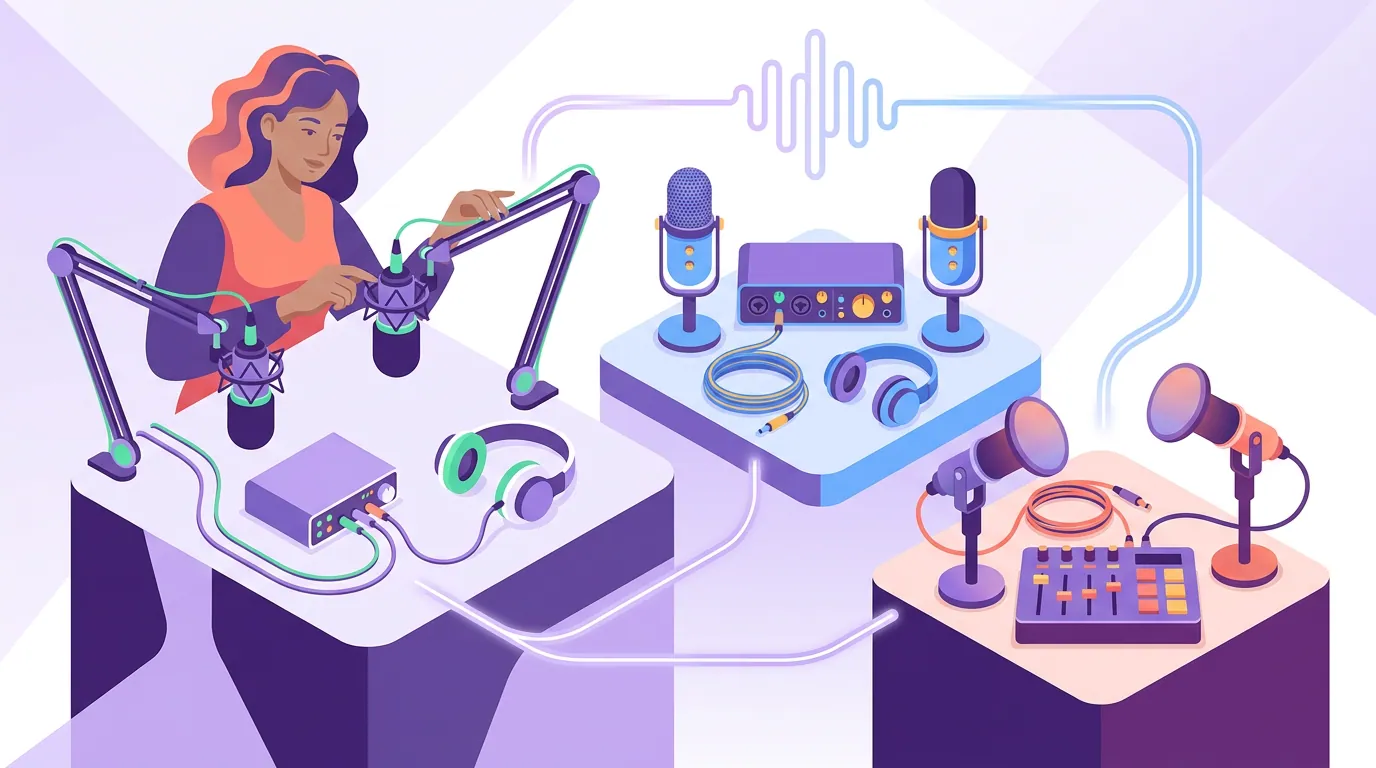
Three complete two-mic kits (real 2026 prices)
A mic is only part of the bill. XLR mics need an interface or recorder; USB mics need fewer parts but less room to grow. Here are three full bills of materials, two mics plus what plugs them in, at prices I verified in late June 2026. Cables, stands, and arms vary; budget another $40–$120 depending on whether you use the included stands or buy boom arms.
| Kit | What's in it | Total (mics + box) |
|---|---|---|
| Starter / plug-and-play | 2× Samson Q2U (USB), use included stands | ~$200 |
| The standard | 2× RODE PodMic + Zoom PodTrak P4next recorder | ~$378 |
| Step-up / camera-ready | 2× RODE PodMic + RODECaster Duo console | ~$696 |
Sources for the box: Zoom PodTrak P4next ~$180 at Sweetwater, four XLR inputs, records each mic to its own track, it replaced the original P4, which is now discontinued (Sweetwater); Focusrite Scarlett 2i2 4th Gen ~$148 if you prefer a computer interface to a standalone recorder (Focusrite), note that a two-input interface gives you per-mic tracks only inside a DAW, so the $378 figure assumes the P4next; RODECaster Duo $498 at Sweetwater, June 2026 (Sweetwater). PodMic ~$99 each (RODE); Q2U podcasting pack lists at $99.99 each, often ~$80 on promotion (Sweetwater).
Which to buy: start with the standard kit if you are serious, two PodMics and a PodTrak P4next give you matched mics, per-mic tracks, individual headphone outs, and a device that travels. Pick the starter Q2U pair if you want to test the format for under $200 and keep the mics when you upgrade. The Duo is for shows that record to camera every week and want a hardware mixer; most two-host audio shows do not need it on day one.
How we evaluated these picks
I build podcast recording setups for a living, home rigs and studio rigs, on budgets from $150 to $5,000, and the two-in-one-room problem is the one beginners get wrong most often. The picks here are filtered on three criteria, in order: (1) dynamic cardioid capsule, because off-axis rejection is the whole game in a shared room; (2) availability as a matched pair, because two identical mics are far easier to balance in editing; (3) a clear, real upgrade path so your first purchase is not a dead end.
Every price was checked against the manufacturer or a major US retailer (RODE, Shure, Focusrite, Zoom, Sweetwater) in June 2026. Gear prices move, so reconfirm before you check out, the Zoom recorder in the standard kit, for instance, recently switched from the original P4 to the P4next, which nudged that kit up. For context, Ausha puts a hobby podcast setup at roughly $100–$350 one-time and a professional one at $500 and up; two-host mics push you toward the top of the hobby band, and all three kits above sit inside that $100–$700 spread.
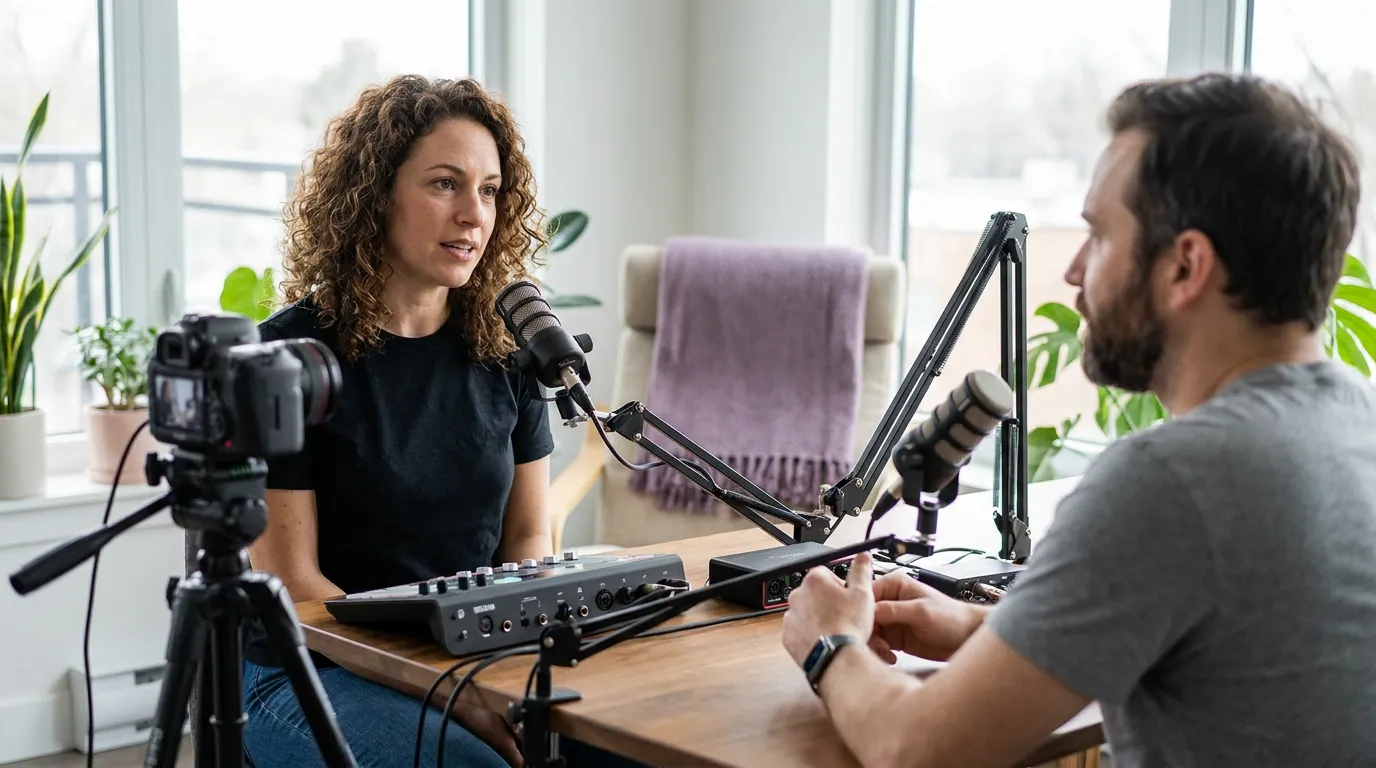
Common mistakes with two mics in one room
- Buying condensers because they "sound better." They do, alone, in a treated room. With two open mics a few feet apart, a condenser's sensitivity works against you. Dynamic, every time.
- Mics too close together in the middle of the table. This guarantees bleed. Spread the hosts out; aim the mics apart.
- Recording both mics to one combined track. You lose the ability to fix one voice independently. Use a recorder or DAW that captures separate tracks.
- Monitoring on speakers. The audio loops back into both mics. Closed-back headphones for each host, always.
- Mismatched mics. A PodMic on one side and a different mic on the other means two different tonal characters to wrestle into balance. Match them.
- Skipping a windscreen or pop filter on close-talked dynamics. At 2–3 inches, plosives are brutal. The PodMic has an internal filter; the Q2U includes a foam windscreen, use it.
Frequently asked questions
Can I use USB mics for a two-person podcast?
Yes, but with a caveat. Two USB dynamic mics like the Samson Q2U can both run into one computer, and that is the cheapest way to start a two-host show. On Windows you may need to combine them into an aggregate audio device, and you will not get hardware per-mic monitoring. For a smoother two-mic experience, an XLR pair into a single interface or recorder is more reliable, see USB vs XLR mics.
Do both hosts need the same microphone?
It helps a lot. Matched mics produce a uniform tone, which makes balancing the two voices in editing much faster and the finished episode sound consistent. Mixing two different mic models means correcting two different EQ curves every episode. Buy a pair of the same mic.
Is one mic with two people ever okay?
For a quick test or a casual recording, one mic between two people can work if you sit close and split the difference. But you cannot control the two voices separately, the off-mic person sounds distant, and any clip you cut will have uneven levels. For anything you plan to publish, use one mic per host.
How far apart should two podcast hosts sit?
As far apart as the room comfortably allows while both stay 2–3 inches from their own mic. More distance between the two people means less of each voice bleeds into the other mic. Pair the spacing with the 180-degree angling above for the cleanest result (Podcast Engineering School).
What about a budget under $100 total?
Under $100 for two mics is tight. The honest answer is one Samson Q2U new (~$100) covers a single mic, so a true two-mic budget starts around $200. If you must go lower, look at used or renewed dynamics, but check our budget podcast mic under $100 guide before buying the cheapest thing you can find, because a bad mic in a noisy room undoes everything above it.
The setup matters more than the brand
Two matched dynamic cardioid mics, spaced apart, angled away from each other, each on its own track, with closed-back headphones, that is the answer for two hosts in one room, whether you spend $200 or $700. The gap between a $200 and a $700 setup is smaller than the gap between bad placement and good placement. Nail the placement first.
Once your two voices are clean, the rest of the show gets easier. A well-recorded two-host conversation is also the easiest kind of episode to slice into short clips, because each voice is isolated and the levels are even. When you are ready to turn that episode into clips for social, build your show on a repeatable episode structure so the clippable moments land in predictable places.